Key Takeaways
- 1.Always power off the DJI Neo 2 before switching off your remote controller.
- 2.Use a quick press followed by a press and hold on the power button to shut down.
- 3.Watch the battery level LEDs to confirm the drone is fully powered down.
- 4.The same double-press shutdown method works for your controller and goggles.
- 5.Following the correct power-down order maintains proper safety protocols every flight.
Knowing how to turn off the DJI Neo 2 properly is one of those small details that makes a big difference to the longevity of your gear. The shutdown process uses a simple two-part button sequence, but getting the order wrong — or skipping a step — can leave your drone in an unexpected state.
Powering down your drone, controller, and goggles in the right sequence keeps everything communicating cleanly and prevents connection issues on your next flight. Below is the exact process to follow every single time you land.
Always Power Off the DJI Neo 2 Before You Touch the Remote Controller
I see a lot of new pilots make this mistake out in the field, but when you finish your flight, you must power off the DJI Neo 2 first before you switch off your remote controller. You want to make sure you severe the connection from the DJI Neo 2's side first to maintain proper safety protocols before your controller goes dark.
Use the Double-Press Sequence on the Main Power Button
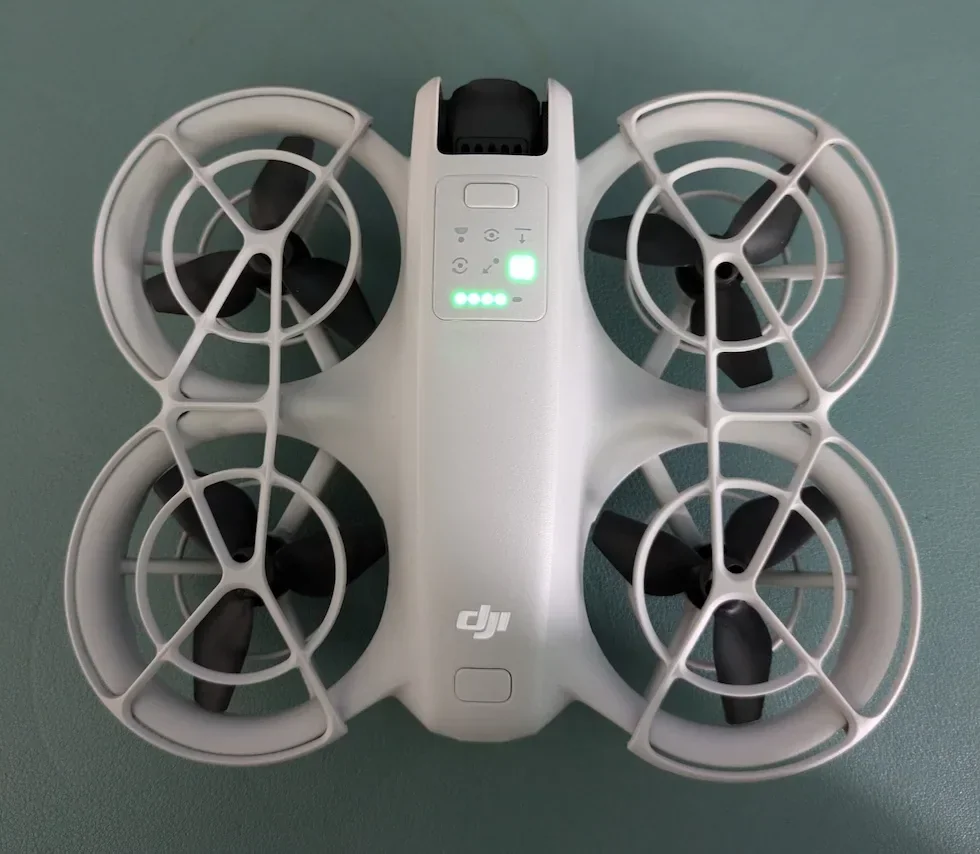
To actually turn the DJI Neo 2 off, you are going to use the exact same technique you used to turn it on. Locate the main power button on the DJI Neo 2. Give it one quick press, let go, and then press and hold that same button down right after. Keep holding it down for a couple of seconds until you hear the shut-down chime.

Watch the Battery Level LEDs to Confirm It Is Fully Shut Down
You should never just toss the DJI Neo 2 into your camera bag assuming it is off. When you execute that press and hold sequence, keep your eyes on the battery level LEDs located right next to the power button. Those battery level LEDs will completely turn off when the DJI Neo 2 is successfully and fully powered down. Once the lights go completely dark, you are safe to pull the battery out or pack it up.
Power Down Your Controller and Goggles Using the Exact Same Method
Once the DJI Neo 2 is dark and asleep, you can safely turn off your accessories. Whether you are using the standard DJI RC-N3 remote controller or the immersive DJI Goggles N3, the shutdown process is identical. Just give the power button on your controller or goggles a quick tap, followed immediately by a long press and hold.
That is all there is to it. Once you build the habit of powering down the drone first, pressing and holding until the LEDs go dark, and then switching off your controller and goggles, the whole process becomes second nature.
If you need professional aerial footage but would rather leave the flying to someone who already has the shutdown routine down cold, you can find vetted drone pilots near you at HireDronePilot.