How to Zoom on DJI Drone
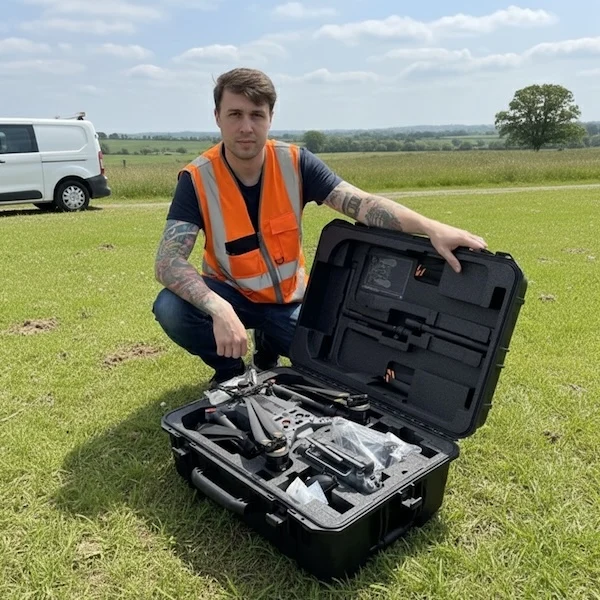
Peter Leslie
22 May 2026

If a subject is too far away to fill the frame on a DJI drone and you want to crop in without flying closer, the control you are looking for is the small zoom pill on the right-hand side of the camera view in DJI Fly. Tap it to step the zoom up, or press and hold to drag a fine slider between the presets.
Drones this applies to
DJI Neo 2, DJI Mini 5 Pro, DJI Avata 2, DJI Air 3 Pro, DJI Mavic 4 Pro. The menu path and the on-screen pill are identical on every drone running DJI Fly v1.21.2 or later — but zoom capability varies hugely between models. Some have optical zoom hardware (a dedicated tele camera) and others have digital crop only. The per-drone table further down lists the maximum useful zoom and the type for each drone.
Quick guide
To zoom on DJI Drone, go to DJI Fly → Camera View → zoom pill on the right-hand control column. Tap the pill to step through the presets, or press and hold to drag a fine slider. Optical zoom drones (DJI Air 3 Pro, DJI Mavic 4 Pro) hold picture quality across their tele range; digital-only drones (DJI Neo 2, DJI Mini 5 Pro, DJI Avata 2) keep a clean image to roughly 2x at 4K before fine detail flattens.
Step-by-step: How to Zoom on DJI Drone
Follow these top to bottom the first time, and you will know the path off by heart the second time. The labels and order are identical on every drone in the callout above.
Open DJI Fly and drop into the live camera view
With the drone powered on and the remote controller connected, launch DJI Fly and tap Go Fly to enter the live camera view. The zoom control sits on this screen — there is no zoom button on the drone itself, no zoom wheel on the controller, and no pinch gesture supported on the live feed.
Confirm the camera is in standard video or photo mode, not a Smart Snap
Glance at the shooting-mode label on the right-hand column. The zoom pill only appears in standard video and photo modes — Smart Snap routines like Follow, Dronie, Circle, Rocket, and Spotlight lock the zoom at 1x for the whole clip. Switch back to standard recording if the pill is missing.
Find the zoom pill on the right-hand control column of the camera view
The zoom indicator is a small rounded pill on the right edge of the camera view, sitting in the control column alongside the recording, mode, and resolution icons. On a fresh launch the pill reads 1x — that is the full wide-angle field of view straight off the sensor with no cropping applied.
Tap the zoom pill to step up to the next preset
A single tap on the pill cycles the zoom to the next preset — typically 2x on the digital-only drones, and through the tele camera switch on the optical-zoom drones. The live feed crops in immediately and the pill label updates to show the new value. Keep tapping to step through the available presets.
Press and hold the pill to open the fine zoom slider
Press and hold the zoom pill rather than tapping it, and a slider opens with smooth in-between values. Drag the marker along the scale for a precise crop, watch the live feed react in real time, and lift your finger to lock the chosen level. This is the path to use when the preset steps land either side of the framing you actually want.
Watch the live feed for softness as the zoom level climbs
Optical zoom on the DJI Air 3 Pro and DJI Mavic 4 Pro holds picture quality across the tele range — the drone is switching to a longer lens, not cropping. Digital zoom on the DJI Neo 2, DJI Mini 5 Pro, and DJI Avata 2 softens past the clean-crop range. Eyeball the live feed before committing and dial the zoom back if the picture looks soft.
Frame and record the shot before adjusting the zoom further
Hit record once the framing looks right. Changing the zoom mid-clip is allowed, but the crop change shows up in the recorded footage as a digital push (or a hard cut at the tele camera switch on the optical drones), which rarely cuts cleanly in the edit. Save zoom adjustments for between takes when the cut needs to look invisible.
Tap the pill back to 1x to return to the full wide-angle frame
Tap the zoom pill repeatedly, or drag the slider all the way to the left, until the label reads 1x again. The live feed snaps back to the full wide-angle field of view, which is the cleanest image the sensor can deliver and the only one with no cropping or tele-lens stack — the right default to land on before powering down.
Peter's tip
On the digital-only drones I leave the zoom at 1x for anything that has to be delivered as a master file, and crop in post on the editing timeline instead. You keep the full wide-angle frame in the source clip for safety scanning, you keep flexibility to recompose the shot later, and you do not bake a soft digital crop into a take that the client might want reframed. On the DJI Air 3 Pro and the DJI Mavic 4 Pro the tele camera earns its keep in flight; in-flight digital zoom on the others is best saved for quick social-first shots, not paid work.
DJI drone zoom range by model
Use this table to set expectations before the flight. Optical figures hold picture quality across their stated range; digital figures soften past the clean-crop number — push further at your own risk in the edit.
| Drone | Zoom type | Maximum useful zoom |
|---|---|---|
| DJI Neo 2 | Digital crop only | ~2x at 4K, ~4x at 1080p |
| DJI Mini 5 Pro | Digital crop only | ~4x digital across recording modes |
| DJI Avata 2 | Digital crop only | Limited digital reach in standard video |
| DJI Air 3 Pro | Optical tele camera + digital extension | ~3x optical, digital push on top |
| DJI Mavic 4 Pro | Optical tele camera + digital extension | ~7x optical, digital push on top |
Frequently asked questions
Which DJI drones have optical zoom and which are digital only?
Zoom hardware varies hugely across the DJI line-up. The DJI Air 3 Pro and DJI Mavic 4 Pro carry a dedicated tele camera and deliver genuine optical zoom — roughly 3x optical on the Air 3 Pro and up to 7x optical on the Mavic 4 Pro, with longer digital reach stacked on top. The DJI Neo 2, DJI Mini 5 Pro, and DJI Avata 2 have a single wide-angle camera and offer digital crop zoom only. Optical zoom holds picture quality at any focal length; digital zoom is just a centre crop of the same sensor frame.
How far can a DJI drone zoom in at 4K?
It depends on the drone. Digital-only drones like the DJI Neo 2 hold useful image quality to about 2x at 4K before the crop starts to soften. The DJI Mini 5 Pro pushes further on its digital zoom range, and the optical-zoom drones — DJI Air 3 Pro and DJI Mavic 4 Pro — hold clean detail right through their optical range at 4K. Check the per-drone table further up the article for the exact figures.
Why does my DJI drone footage look soft when zoomed in?
Because the zoom is digital past the sensor's optical range. The camera throws away sensor pixels and upscales what is left back to the recording resolution, which flattens fine detail and amplifies codec noise. On a single-axis gimbal drone like the DJI Neo 2 the wobble that hides at wide-angle also starts to show up at the longer crops. Stay inside the optical range where the drone has one, and inside the clean-crop range where it does not.
Does zoom work in Palm Control mode on the DJI Neo 2?
No. Palm Control is the no-phone, no-controller launch mode on the DJI Neo 2, and the zoom pill lives entirely inside DJI Fly. Without a phone or remote-controller-with-screen running the app, there is no way to surface the zoom control, so every Palm Control clip records the full wide-angle frame at 1x. The same logic applies to any DJI drone — no DJI Fly on screen means no zoom adjustment.
Can I zoom on a DJI drone while flying a Smart Snap or QuickShot?
No. Smart Snap and QuickShot modes like Follow, Dronie, Circle, Rocket, and Spotlight choose the framing for you and lock the zoom at 1x for the whole clip. The drone is doing the camera move with its body — flying away, climbing, orbiting — instead of cropping into the sensor, which is one of the reasons the footage looks clean from those modes.
Does zoom work the same for video and photo on a DJI drone?
Almost. The zoom pill is the same control in both modes, and the preset steps line up — but photo mode often exposes a slightly longer digital reach than video mode because the still does not have to hold up across thirty frames a second. Optical-zoom drones use the tele camera in both modes; the difference shows up in the digital extension stacked on top.
Is there a zoom lens accessory for a DJI drone?
No. The aftermarket sells ND filters, polarisers, and UV protectors for every current DJI drone, but no zoom optic. The gimbal cages have no threads or bayonets for swappable glass, and adding weight would throw off the centre of gravity and confuse the vision sensors. If a job needs real optical reach, the DJI Air 3 Pro or the DJI Mavic 4 Pro is the step up — both ship with a dedicated tele camera built in.
Does the zoom level reset between flights on a DJI drone?
Yes. A full power-cycle of the drone or a fresh launch of DJI Fly returns the zoom to 1x. There is no setting that holds a custom zoom level across sessions, which is the right default for a drone where every clip starts wide and the zoom is a per-shot decision rather than a persistent preference.
The DJI drone zoom is a useful nudge for framing on every drone in the line-up — and a real telephoto lens on a couple of them. Match the zoom you actually use to what the drone has under the hood, dial back the moment the picture goes soft on the digital-only models, and lean on the wide-angle field of view plus a slow fly-back when you want a real reveal.
If you are weighing a digital-zoom drone against one with proper optical reach for a specific job, drop the brief to peter@hiredronepilot.uk and I will come back to you directly. The video version of this walkthrough is on YouTube and the comments are open.
References
Primary source material for this article is the official DJI user documentation for each drone in the callout and DJI Fly. External links open in a new tab.
- DJI Fly — App download and release notes · The app that surfaces the zoom pill, the slider, and the per-drone zoom range. Release notes record any layout or end-stop changes between app versions.
- DJI — UK consumer drone product line-up · Per-drone specification pages list the camera hardware and zoom characteristics for the DJI Neo 2, DJI Mini 5 Pro, DJI Avata 2, DJI Air 3 Pro, and DJI Mavic 4 Pro.
- UK Civil Aviation Authority — The Drone and Model Aircraft Code (CAP2320) · Visual-line-of-sight rule that frames why a digital zoom does not extend how far you may legally fly a drone from the launch point.
Peter Leslie
Founder & GVC Drone Pilot
Peter is the founder of HireDronePilot. With thousands of logged commercial flight hours, he writes about drone technology, commercial surveying tactics, and UK aviation compliance.
Connect on LinkedIn