Does The DJI Neo 2 Have Obstacle Avoidance? (Full Sensor Breakdown)

Peter Leslie
22 May 2026

Key Takeaways
- Yes — the DJI Neo 2 has obstacle avoidance, unlike the original Neo, which had no obstacle sensing at all
- The Neo 2 carries three sensing systems — a forward-facing LiDAR, an omnidirectional monocular vision system covering horizontal and upward directions, and a downward infrared sensing system
- In DJI Fly you pick Bypass (the drone routes around the obstacle) or Brake (the drone stops and hovers in front of it), and avoidance can be switched off entirely
- Sensors struggle with thin objects like power lines and tree branches, glass, water, monochrome surfaces and lighting under one lux or above one hundred thousand lux
- Obstacle avoidance is disabled in Sport mode, Manual mode and during Easy ACRO — the flight mode overrides the DJI Fly menu the moment you switch
- QuickShots and other intelligent flight modes will bypass obstacles regardless of the menu setting when the vision systems are working normally
The short answer is yes. The DJI Neo 2 has a full obstacle avoidance suite — a forward-facing LiDAR, an omnidirectional monocular vision system, and a downward infrared sensing system. That is a meaningful jump from the original DJI Neo, which shipped without any obstacle sensing at all.
What the Neo 2 cannot do is read your mind. There are flight modes where avoidance is automatically switched off, conditions where the sensors stop seeing what is in front of the drone, and objects the cameras struggle with even when everything else is working. This guide walks drone pilots through what the Neo 2 actually has on it, how Bypass and Brake differ inside DJI Fly, and the carve-outs that catch most new buyers in the first month.
Yes — the Neo 2 has omnidirectional obstacle avoidance, and that is the biggest upgrade over the original Neo
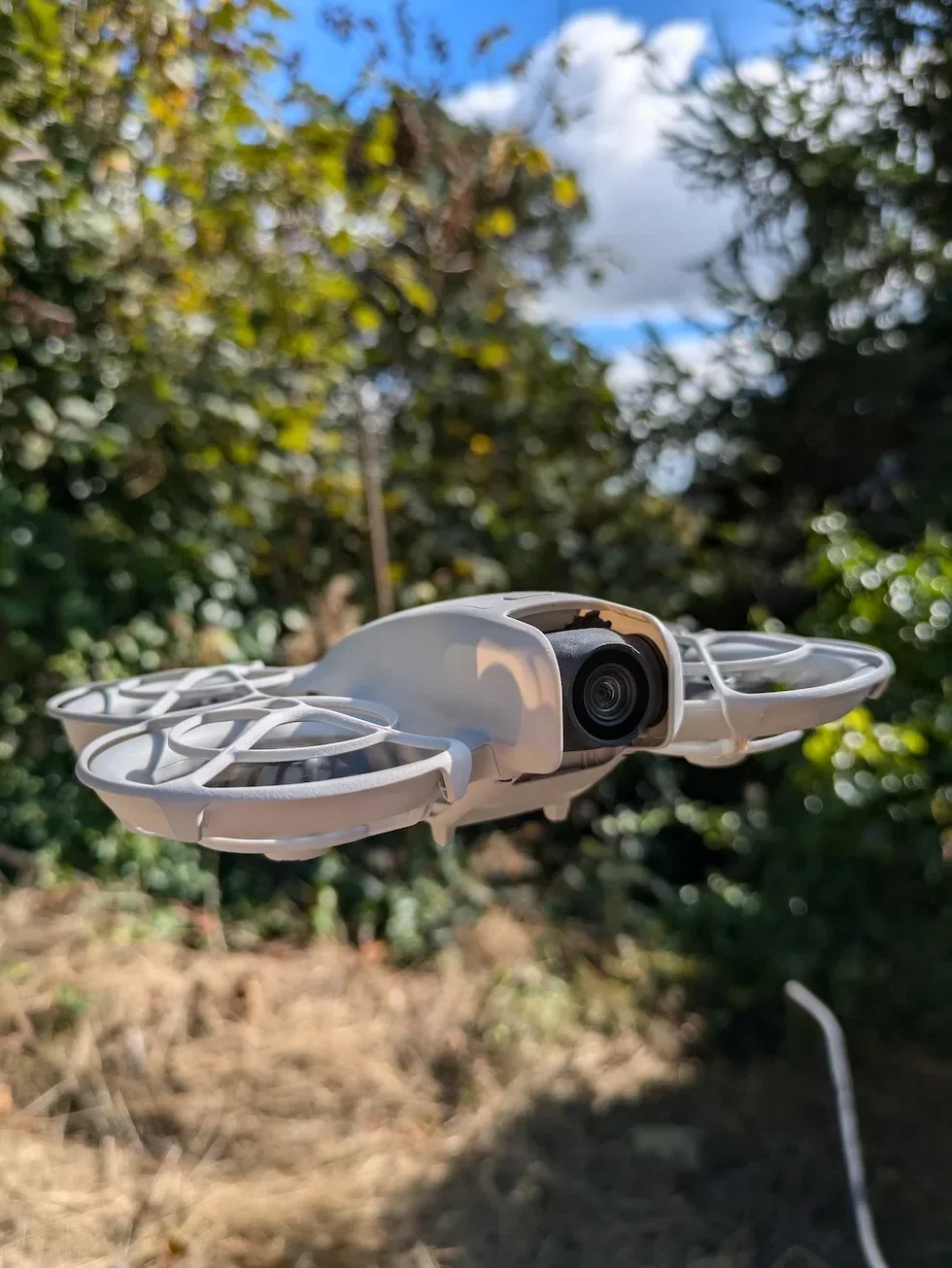
Read down the components diagram in the Neo 2 user manual and three obstacle-related items appear in plain English — a forward-facing LiDAR, an omnidirectional monocular vision system, and a downward infrared sensing system. The original Neo had none of those. Its manual stated twice that "DJI Neo does not feature obstacle sensing. Fly with caution."
The practical difference is large. On the original Neo a tree branch at chest height was invisible to the drone until the propellers hit it. On the Neo 2, the forward LiDAR or the omnidirectional vision picks the branch up first, and the flight controller either routes around it or brakes in front of it. That puts the Neo 2 sensor stack closer to the Mini 4 Pro arrangement than to anything DJI has previously fitted on a sub-250 gram drone. If avoidance was the only reason you held off on the original Neo, the Neo 2 is the upgrade you were waiting for.
The three sensor systems do different jobs, and only the LiDAR works in the dark
The forward-facing LiDAR is a Class 1 eye-safe laser that pulses a beam ahead of the drone and times the reflection. It gives a precise distance reading to whatever is directly in front, and crucially it does not rely on ambient light. The omnidirectional monocular vision system uses cameras around the body to spot obstacles in horizontal directions and above the drone. It needs adequate lighting and a textured target to lock onto — a blank ceiling gives it nothing, a leafy tree gives it plenty.
The downward infrared sensing system handles the floor. It is not really for flight-path avoidance — it stabilises the hover when GNSS is weak and triggers Landing Protection on the way down. There is no dedicated rear sensor — the omnidirectional vision covers sides and top, not the back of the drone. So the avoidance envelope is front, sides and top, with the LiDAR doing the heavy lifting in low light and the rear effectively unmonitored.
Bypass routes around the obstacle, Brake stops in front of it — you pick which inside DJI Fly Safety
On the Neo 2 the rule for what to do when a sensor sees something is set in the DJI Fly Safety menu. You pick between Bypass or Brake. Both use the same sensors. The difference is what the flight controller does with the data.
Bypass means the drone routes itself around the obstacle and continues on the original heading — cinematic, the shot keeps flowing. Brake means the drone stops in front of the obstacle and hovers until you give a different stick input — conservative, useful in tight spaces. There is also a third option DJI does not put in the headline list: you can switch obstacle avoidance off entirely, mostly for drone pilots flying close-quarters shots where the sensors trigger constantly and ruin the framing.
Whichever you pick, the manual still tells you the sensing system "cannot replace human control and judgment" — clear airspace is the first line of defence, the sensors are the backstop.
Thin objects, glass and low light are where the sensors quietly fail
Thin objects are the biggest one. Power lines, tree branches, fences and small pole-like objects are explicitly called out in the manual as things the vision system cannot reliably see. The cameras need surface area to lock onto, and a power cable in front of a featureless sky has almost none. The forward LiDAR can sometimes catch them, but it covers the front sector only.
Glass and water are the second category. Mirrors, road signs, glass roofs and asphalt are named in the manual as failure conditions. A glass roof reflects the drone back at itself. A pond reflects the sky. The algorithms return either nothing useful or something actively misleading.
Lighting is the third. The vision system needs an environment between roughly one lux and one hundred thousand lux to work properly — below that the cameras cannot see, above that they are over-saturated. That rules out night flying without supplemental light. The forward LiDAR keeps working in low light, but it is one sensor covering one sector. The fix in every case is the same: do not rely on the sensors as the primary safety mechanism.
Sport mode, Manual mode and Easy ACRO all switch obstacle avoidance off — the flight mode overrides the menu
This is the carve-out most Neo 2 buyers miss until the first time they crash. The manual is unambiguous — "Obstacle avoidance is disabled in Sport mode." The same applies in Manual mode when you pair the drone with the DJI FPV Remote Controller 3, and again the moment you enable Easy ACRO on the motion controller. The flight mode overrides the menu setting — you can have Bypass turned on in DJI Fly, flick to Sport, and the sensors stop intervening the moment the mode switches.
There is a reason. At full Sport speed the drone is moving faster than the avoidance algorithms can reliably plan around something, and Easy ACRO is performing flips and rolls where a sensor intervention would tip the drone out of the move. The trade is clean stick feel at the cost of having to do the obstacle work in your head. If anything looks off, drop back to Normal mode immediately — avoidance comes back the moment the mode switches back.
One inversion is worth knowing. QuickShots and intelligent flight modes use the sensors regardless of the named flight mode — the manual states the drone "will bypass obstacles regardless of the flight modes or obstacle avoidance action settings" when the vision systems are working normally. The drone is flying itself; it had better be using everything it has.
Obstacle avoidance does not change the UK rules — you still fly within visual line of sight
A common mistake on the Neo 2 is to read the sensor list as a licence to push the drone deeper into trees or behind buildings on the basis that the sensors will catch any mistake. They will not, and the law does not care. The Drone and Model Aircraft Code requires you to keep the drone within visual line of sight at all times in the Open Category, full sensor suite or not.
From a drone pilot's perspective, avoidance is a backstop for human error inside an already-legal flight. If your flight is legal and the sensors trigger, the sensors saved you a bad day. If your flight is illegal because you have flown out of sight or too close to people who are not part of it, the sensors do not change that — the CAA still cares, your drone insurance still cares, and the police can still serve you a fixed-penalty notice.
So — does the DJI Neo 2 have obstacle avoidance? Yes, in three different systems covering front, sides, top and floor, with carve-outs for Sport mode, Manual mode, Easy ACRO, thin objects, glass and low light. Plan a legal flight first. Choose a site with clear airspace second. Treat the sensors as the backstop, not the plan.
Got a specific Neo 2 obstacle avoidance question I have not covered — a tight site you are weighing up, a Sport mode shot you are not sure about, or a confined-space flight you want to plan? Drop a note to peter@hiredronepilot.uk and I will come back to you directly. If you prefer the video version of this explainer, the comments are open on YouTube.
References
Primary source material for this article is the official DJI Neo 2 user manual and the UK Civil Aviation Authority. External links open in a new tab.
- DJI — Neo 2 user manual (downloads) · forward-facing LiDAR (Class 1 eye-safe), omnidirectional monocular vision system, downward infrared sensing, Bypass / Brake menu, Sport / Manual / Easy ACRO disable, vision system failure modes
- DJI — Neo 2 product page · sensor coverage overview and confirmation of the omnidirectional vision plus forward LiDAR combination
- UK CAA — The Drone and Model Aircraft Code (CAP2320) · visual line of sight requirement in the Open Category and the responsibilities that sit with the drone pilot regardless of on-board sensors
- UK CAA — Where you can fly · A1 sub-category rules for sub-two-hundred-and-fifty-gram drones and obligations on drone pilots in the Open Category
Peter Leslie
Founder & GVC Drone Pilot
Peter is the founder of HireDronePilot. With thousands of logged commercial flight hours, he writes about drone technology, commercial surveying tactics, and UK aviation compliance.
Connect on LinkedIn