How High Can the DJI Neo 2 Fly in the UK?

Peter Leslie
22 May 2026

Key Takeaways
- UK law caps every Open Category drone at 120 metres (400 feet) above the closest point of the ground, and the DJI Neo 2 is no exception
- The DJI Fly Safety menu will let you slide the altitude limit up to roughly 500 metres when paired with a controller, with no warning that this is well above the UK legal ceiling
- In Mobile App Control or Palm Control the Neo 2 is hard-capped at 60 metres, with the limit unchangeable inside DJI Fly
- Above 50 metres the Drone Code requires you to keep at least your altitude in horizontal metres between the drone and uninvolved people
- Breaching the 120-metre ceiling is a criminal offence under the Air Navigation Order 2016, with penalties up to five years in prison for endangering an aircraft
The honest answer to how high can the DJI Neo 2 fly in the UK is two very different numbers. In software, the DJI Neo 2 will let you set the altitude limit as high as 500 metres when it is paired with a remote controller. Under UK drone law in the Open Category, the legal ceiling is 120 metres, and the gap between those two figures is where most new drone pilots get themselves into trouble.
This guide reconciles the spec sheet against the law, walks through what changes between Palm Control, Mobile App and full controller modes on the Neo 2, and explains the people-buffer rule that quietly kicks in the moment you climb above 50 metres.
UK law caps the DJI Neo 2 at 120 metres no matter what the spec sheet allows
Rule 3 of the Drone and Model Aircraft Code sets the legal drone height limit at 120 metres (400 feet) for every drone flown in the Open Category. The DJI Neo 2 sits firmly inside that category, and the ceiling applies regardless of weight or class mark.
The phrasing of Rule 3 is the part most drone pilots miss. The 120 metres is measured from the closest point of the earth's surface to the drone, not from the spot where you took off. Launch from the edge of a cliff and fly out over the drop and the Neo 2 is suddenly far higher above the ground beneath it than the on-screen altimeter implies.
The DJI Fly slider stretches to roughly 500 metres, but only with a controller in your hands
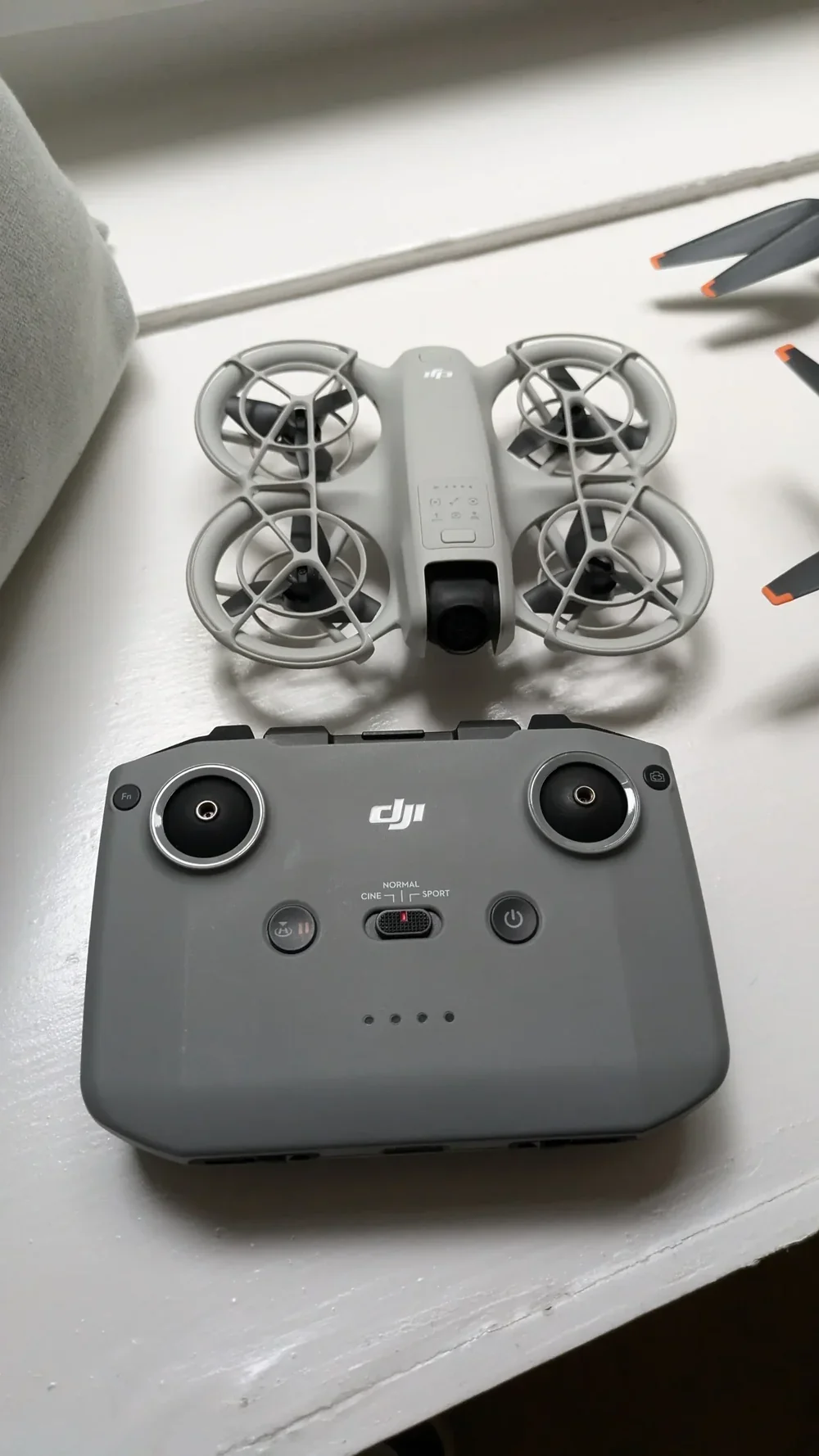
The headline figure you will see in every DJI Neo 2 altitude test on YouTube is 500 metres. That is the upper bound the DJI Fly Safety menu will accept when the Neo 2 is paired with a compatible remote controller — the DJI RC 2, the DJI RC-N3, or one of the FPV controllers used with the DJI Goggles 3. It is the maximum value the slider accepts, not a published specification of the drone and not the absolute mechanical ceiling of the motors. The figure is measured above the take-off point, not above sea level.
The point is that the Neo 2 can get up there. Whether you are allowed to take it up there in UK airspace is a completely separate question, governed by the Drone Code rather than DJI Fly.

Mobile App Control and Palm Control hard-cap the DJI Neo 2 at 60 metres
Fly the DJI Neo 2 without a remote controller — using Palm Control off the drone itself, or steering through the DJI Fly app over Wi-Fi — and the altitude cap is much tighter. In Palm Control and Mobile App Control, the maximum flight altitude is 60 metres, fixed in firmware. That limit cannot be changed inside DJI Fly.
That figure is a deliberate upgrade over the original Neo, which capped both modes at 30 metres of altitude. From a drone pilot's perspective the lift to 60 metres is welcome, because it gets you above most tree lines and rooftops without needing the controller, while still leaving a comfortable gap to the 120-metre legal ceiling. When the GNSS signal is weak, the Neo 2 also drops automatically to a 30-metre ceiling in good light, or just 2 metres in poor light when the downward infrared sensor takes over.
DJI Neo 2 altitude caps by control mode
| Control mode | Software cap | Where it is set |
|---|---|---|
| Palm Control (no controller) | 60 m altitude, no distance cap | Fixed by firmware |
| Mobile App Control (phone over Wi-Fi) | 60 m altitude, no distance cap | Fixed by firmware |
| Remote Controller (RC 2 / RC-N3 / FPV) | User-set in DJI Fly, up to ~500 m | Safety menu slider |
| Any mode, weak GNSS, good light | 30 m altitude | Automatic fallback |
| Any mode, weak GNSS, poor light | 2 m altitude | Automatic fallback |
| UK legal limit (Open Category) | 120 m from closest ground | Drone Code Rule 3 |
DJI Fly will accept a setting above 120 metres without warning you it is illegal
This is the part most Neo 2 drone pilots do not realise until it is too late. The Safety menu inside DJI Fly will accept any value up to the software ceiling. Set max altitude to 200 metres, 350 metres, the full 500-metre stop — the Neo 2 will not refuse it. The geo-awareness system inside DJI Fly is designed for restricted-airspace zones around airports, prisons and military sites, not for the 120-metre ceiling that applies everywhere in UK airspace. No pop-up appears to tell you that "this is above the UK legal limit".
That puts the responsibility squarely on you as the remote pilot. Before every flight, set max altitude to 120 metres or below in the Safety menu, and the drone cannot, by accident, climb you into a five-year prison risk. If you fly in hilly terrain, set the figure lower still — a 120-metre slider value over a slope that drops 40 metres below your launch point puts the Neo 2 160 metres above the ground beneath it.
Climbing above 50 metres quietly triggers a horizontal-distance rule most Neo 2 drone pilots forget
Rule 4 of the Drone Code sets a default 50-metre minimum horizontal distance between your drone and uninvolved people. The moment your altitude climbs above 50 metres, the Code requires you to scale that horizontal distance up to match. Fly the Neo 2 at 80 metres of altitude and you must keep at least 80 metres of horizontal distance from people who are not part of what you are doing. Fly at the legal maximum of 120 metres and the buffer becomes 120 metres.
This is the rule that catches drone pilots out far more often than the ceiling itself. The Neo 2 is small enough that drone operators assume the people-distance rules do not apply at altitude. Above 50 metres they very much do, and the obligation grows linearly the higher you climb. If you cannot honestly say you have a clear 120-metre horizontal bubble around the drone, do not push the altitude up to 120. Pick a lower ceiling that matches the buffer the site can actually give you.
There is no legal way to push the Neo 2 above 120 metres outside the tall-structure carve-out
Drone pilots sometimes ask whether moving up into the Specific Category unlocks the ceiling. The standard pre-defined operational authorisation PDRA01 keeps the 120-metre limit in place — it changes the people and area buffers, not the height. Higher ceilings live only in bespoke Operational Authorisations built around a specific site, and they are not something the Neo 2 itself unlocks.
There is one narrow on-the-spot exception in Rule 39 of the Drone Code. If the operator of a structure over 105 metres tall — a wind turbine, a chimney, a comms mast — tasks you with inspecting that structure, you may fly above 120 metres for that job, within 50 metres of the structure horizontally and no more than 15 metres above its highest point. Outside that carve-out, the ceiling is hard.
Breaching it is not a civil matter. The legal backbone is the Air Navigation Order 2016. Endangering an aircraft in flight carries a maximum sentence of five years in prison, and flying outside the rules invalidates your drone insurance — turning any accident at altitude into a direct personal liability. Our companion guide on getting caught flying a drone illegally walks through how breaches get reported and prosecuted.
So when somebody asks how high can the DJI Neo 2 fly in the UK, the honest answer is layered. Around 500 metres in the firmware when paired with a controller. 60 metres in Palm or Mobile App mode. 120 metres in the law. The first two are what the drone can do. The third is the only one that keeps you out of court.
If you want to push the horizontal side of the spec sheet, our explainer on the range of a drone covers the same ground for transmission distance. For a refresher on the older Neo, the original DJI Neo altitude guide still applies for that drone.
Got a specific scenario you want covered — a hilltop launch, a coastal cliff flight, a tall-structure inspection? Drop a note to peter@hiredronepilot.uk and I will come back to you directly. If you prefer the video version of this explainer, the comments are open on YouTube.
References
Primary source material for this article is the UK Civil Aviation Authority and the official DJI Neo 2 user manual. External links open in a new tab.
- UK CAA — The Drone and Model Aircraft Code (CAP2320) · Rule 3 (120 m / 400 ft ceiling), Rule 4 (people-buffer above 50 m), Rule 39 (tall-structure exemption)
- UK CAA — Where You Can Fly (A1, A2, A3 sub-categories) · Open Category distance and area rules that govern the DJI Neo 2
- UK CAA — UK Regulatory Framework for Drones · Air Navigation Order 2016 and the UAS Regulations 2019/945 and 2019/947
- DJI — DJI Neo 2 User Manual · 60-metre Palm and Mobile App altitude cap, 30 m and 2 m weak-GNSS fall-back limits
Peter Leslie
Founder & GVC Drone Pilot
Peter is the founder of HireDronePilot. With thousands of logged commercial flight hours, he writes about drone technology, commercial surveying tactics, and UK aviation compliance.
Connect on LinkedIn