Key Takeaways
- Power down the DJI Neo 2 first, then the DJI RC-N3, so the controller does not throw a lost-link error after the drone has already shut off
- Clip the gimbal protector back on the moment the gimbal has settled, before anything else goes near the front of the DJI Neo 2
- If the DJI Neo 2 is not flying again within three days, drop the battery to the storage charge of around 60 percent rather than leaving it full
- Run the log review in DJI Fly while the flight is fresh — warning banners, RTH triggers, and obstacle alerts are easy to miss in the moment
- Eyeball every propeller for nicks, cracks, and chips before the DJI Neo 2 goes back in the bag, and replace any prop that is even slightly damaged
- Fold the arms, pack the controller with antennas folded, and store everything between 22 and 28 degrees Celsius for any break longer than three months
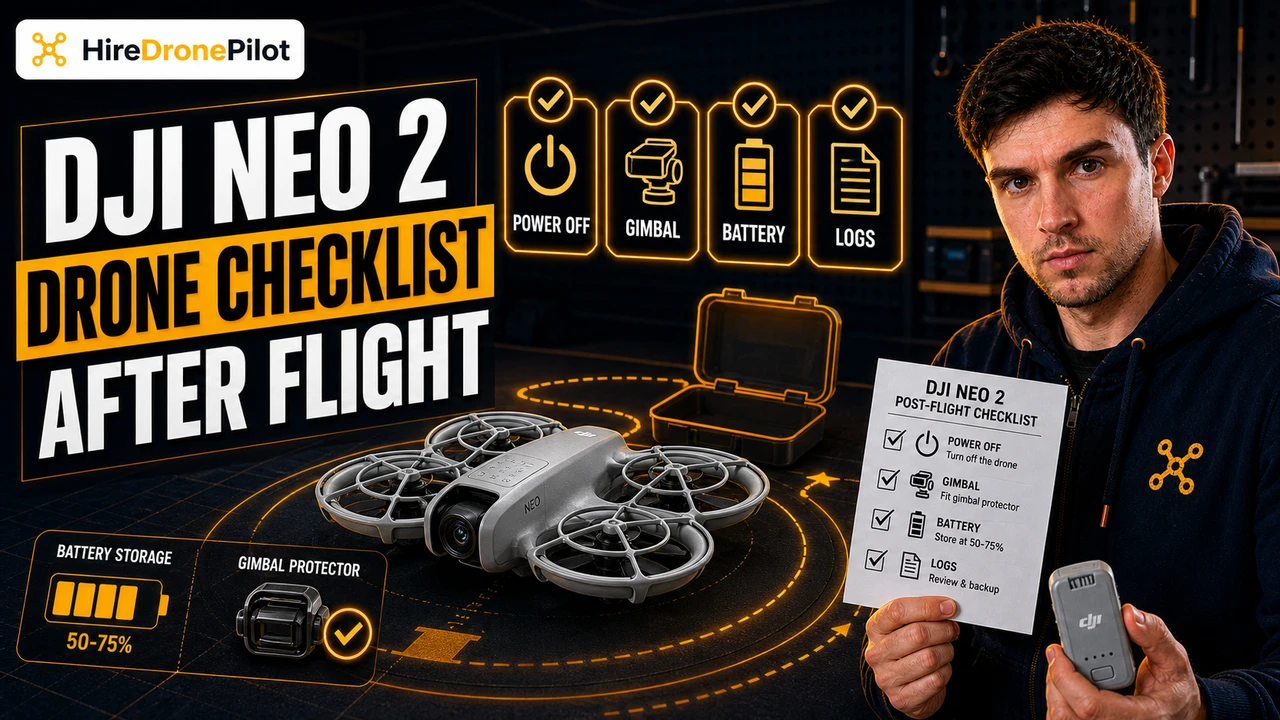
The DJI Neo 2 post-flight checklist is six quick steps you run after every landing. Power down in the right order, refit the gimbal protector, set the battery to a sensible charge level, review the flight in DJI Fly, inspect the propellers, and pack up properly for transport. Skip them and the DJI Neo 2 still works — for a while. Run them every flight and the DJI Neo 2 will outlast its rated two hundred battery cycles without drama.
This is the routine I use on every job, and the same routine I teach to clients buying their first DJI Neo 2. Total time on the ground is around three minutes. None of the steps are hard. The only trick is doing them in order, every time.
Power down the DJI Neo 2 before you power down the DJI RC-N3
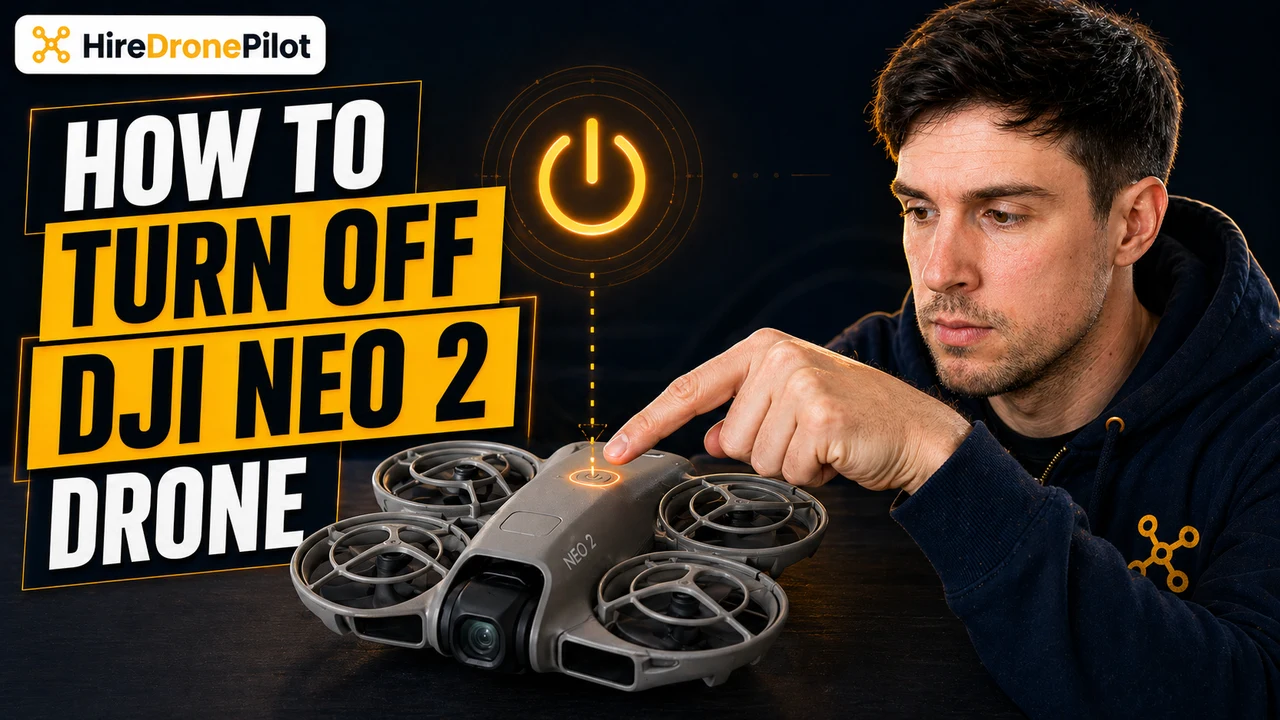
Order matters. Power off the DJI Neo 2 first, then the DJI RC-N3. Press the power button on top of the DJI Neo 2 once, then press and hold for two seconds — the same press-then-hold sequence used to power on. Wait for the battery LEDs to go dark before you touch the controller. Once the DJI Neo 2 is fully off, hold the power button on the DJI RC-N3 to shut it down. Powering the controller off first while the DJI Neo 2 is still running will throw a lost-link warning on screen and can leave the home point and timeline data half-written to the log.
Clip the gimbal protector back on as soon as the gimbal has settled
The gimbal protector is the small plastic cap that came clipped over the camera when the DJI Neo 2 was new. Once the DJI Neo 2 is powered off and the gimbal has gone limp, line the protector up with the camera housing and press it firmly into place. Refit it before anything else goes near the front of the DJI Neo 2 — bag flaps, props, jacket sleeves, hands. The gimbal motors are tiny and the camera lens is exposed; one knock without the protector on is one trip to a DJI service centre. DJI specifically recommends keeping the protector on whenever the DJI Neo 2 is not in use.
Drop the battery to the storage charge if the DJI Neo 2 is not flying again within three days
Lithium polymer batteries hate sitting full. If the DJI Neo 2 is back out in the next day or two, leave the pack alone. If the next flight is more than three days away, take the battery down to around 60 percent by flying it down or letting it self-discharge. The Intelligent Flight Battery is rated for two hundred charge cycles, and storage at full charge eats into that figure faster than anything else you can do. For storage longer than three months, the manual asks for a temperature window of 22 to 28 degrees Celsius and a hard ceiling of -10 to 45 degrees Celsius — a kitchen drawer is fine, a hot car or a freezing garage is not. Charging when the battery has been sitting for a long time wakes it from sleep mode, which is normal and expected.
Review the flight in DJI Fly while the flight is still fresh in your head
Open DJI Fly, go to Profile, then Flight Records. The most recent flight sits at the top — distance, duration, peak altitude, max speed, plus a replay of the timeline overlaid on a map. Read every warning banner before closing the screen. RTH triggers, obstacle alerts, signal-strength dips, low-battery warnings — they all show up here, and they are easy to miss in the moment when you are concentrating on the shot. Flight telemetry is also written to the internal data recorder on the DJI Neo 2 itself, and you can pull a deeper log out using DJI Assistant 2 on a computer if anything looked off. Doing the review now beats trying to remember what happened a week later when something stops working.
Eyeball every propeller for nicks, cracks, and chips before pack-up
Pick the DJI Neo 2 up, hold it under a decent light, and run a thumbnail along the leading edge of each propeller. You are looking for nicks in the leading edge, hairline cracks near the hub, missing chips at the tip, and any sign that a prop is sitting at an angle compared to the others. Replace any propeller that is even slightly damaged. A chipped prop will not stop the DJI Neo 2 flying, but it will throw the balance off, vibrate the gimbal, shorten flight time, and eventually fail in mid-air. Spare props are cheap; a prop failure mid-flight is not. While you are there, check the body for scuffs and the camera lens and vision sensors for dirt — wipe with a soft, dry cloth, never alcohol or solvent.
Pack the DJI Neo 2 with the arms folded and the controller with the antennas folded
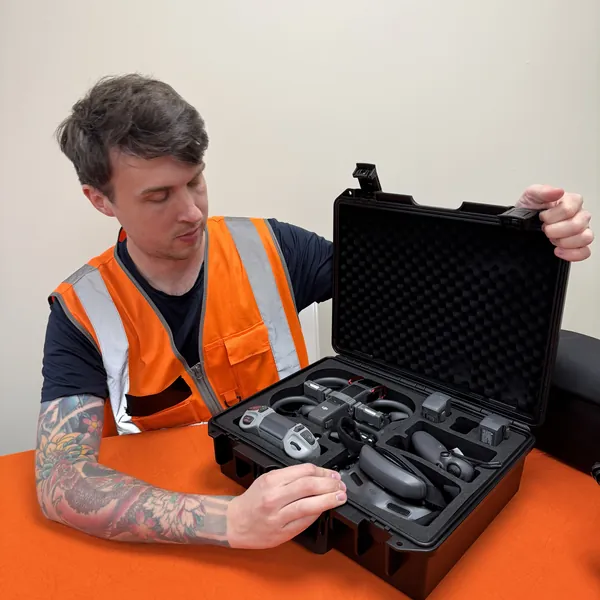
Last step. Fold the four arms of the DJI Neo 2 inward against the body — never transport it with the arms extended. Fold the antennas flat against the DJI RC-N3 before it goes in the case. Pop the sticks back into their storage slots in the underside of the controller so they cannot snap off in transit. Drop the gimbal-protected DJI Neo 2 into its slot, the controller into its slot, and any spare batteries into their own padded section. Keep everything in a dry environment, away from direct sunlight, and out of reach of children and animals — small parts like the cables and lanyards are dangerous if swallowed. The DJI Neo 2 is light enough that pack-up is fast, but a half-hearted pack is the single biggest cause of avoidable damage.
Pull a deeper flight log only when something on screen did not look right
DJI Fly's Flight Records view is enough for ninety percent of post-flight reviews. The deeper log on the DJI Neo 2 itself — pulled with DJI Assistant 2 on a computer over a USB-C cable — is the one to go for after anything unusual. RTH triggered when you did not expect it. The DJI Neo 2 drifted on its own. A motor sounded different on landing. If you ever crash, contact DJI support and pull the log before you fly again. The internal data recorder writes flight telemetry, status information, and other parameters every flight automatically, and that file is what DJI engineers ask for first when diagnosing a fault.
For most flights you will never need it. But knowing it is there — and knowing how to pull it — is part of running a DJI Neo 2 like a professional rather than a hobbyist.
Let the DJI Neo 2 and the battery cool off between back-to-back flights
If you are running multiple batteries through the DJI Neo 2 in one session, the battery you just landed with will be warm. The motors and the body of the DJI Neo 2 will be warm too. Swap to a fresh battery and keep flying — but let the warm battery sit for ten to fifteen minutes before you put it on charge. Charging a hot lithium pack is the second-fastest way after storage-at-full to chew through those two hundred rated cycles. The same applies to the DJI Neo 2 itself in summer heat or hard sun: a couple of minutes in shade between flights keeps the internal sensors happy and stops thermal throttling cutting your next flight short.
This is also a good moment to glance at overall battery life and the cycle count in DJI Fly. If a pack is creeping toward two hundred cycles, plan its retirement before it lets you down on a job.
A clean post-flight routine is the cheapest insurance the DJI Neo 2 will ever get
The DJI Neo 2 is built to a price, and the post-flight checklist is what stops that price showing up in early failure. Three minutes after every landing buys you a clean gimbal, a healthy battery, a flight log read while the detail is still in your head, propellers that will not throw a vibration into your next shot, and a packed kit ready to go again. UK drone law does not technically require any of this, but the network of drone pilots on this site treat it as non-negotiable for a reason.
Got a step that always trips you up — the power-down order, the storage charge, a log warning you cannot interpret? Drop a note to peter@hiredronepilot.uk and I will come back to you directly. If you prefer the video version of this checklist, the comments are open on YouTube.
References
Primary source material for this article is the DJI Neo 2 User Manual (2025). External links open in a new tab.
- DJI — Neo 2 User Manual and Quick Start Guide · §6.5 Post-Flight Checklist (visual inspection, lens and sensor cleanliness, transport storage) and §6.6 Maintenance Instructions (battery storage temperature 22–28°C, 200-cycle rating, arm-fold transport, antenna-fold transport)
- DJI — Neo 2 User Manual §6.4 Flight Recorder · Internal data recorder behaviour and DJI Assistant 2 access referenced in the deeper log section
- UK CAA — The Drone and Model Aircraft Code (CAP2320) · UK drone law context referenced in the closing section

Peter Leslie
Founder & GVC Drone Pilot
Peter is the founder of HireDronePilot. With thousands of logged commercial flight hours, he writes about drone technology, commercial surveying tactics, and UK aviation compliance.
Connect on LinkedIn