Best Drone for Video: What I’d Fly If the Footage Had to Be Graded

Peter Leslie
31 July 2026 · 20 min read
You already know what good footage looks like. You know why 25 frames a second feels different from 60, you have pulled a clip into a timeline and watched the sky band apart under a curve, and you can tell within two seconds when something was shot on a phone. None of that is the hard part here.
The hard part is that a drone takes two things away from you that you have never had to think about, and hands you one piece of paperwork you did not know existed. The two things are the aperture, which on almost every drone is welded open, and the ISO you can actually use, which collapses the moment you select the log profile you bought the drone for. The paperwork is a UK registration that has to be done before the first flight, not after it.
Judged that way, the best drone for video in 2026 is not simply the one with the biggest sensor.
So this guide is judged on one thing only: what the file looks like when it lands on your timeline, and whether it survives a grade. Not how many megapixels the stills are, not how clever the tracking modes are. Fourteen drones, four questions, and by the end you will have one name, an honest list of what it cannot do, and a realistic sense of how much more the whole kit costs than the drone on its own.
If you have never owned a drone before, do not worry about the legal terms yet. I explain every one of them in plain English further down, and nothing in the first half assumes you know any of it.
How I get paid: the Amazon links below are affiliate links, so if you buy through one I earn a small commission at no extra cost to you. It changes nothing about what I recommend. You will notice that one of the fourteen has no link at all because I could not confirm a UK listing for it, and that I spend a good deal of this article arguing that the two most expensive drones here are the wrong purchase for most people reading it.
The Best Drone for Video in 2026 Is the DJI Mini 5 Pro
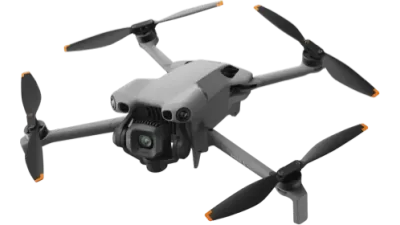
A 10-bit log file you can actually grade, off the biggest sensor anyone has fitted under the 250-gram line — and no test and no certificate to fly it.
- Records 10-bit D-Log M, the flat profile you grade rather than a look baked into the file.
- 4K at up to 120 frames a second, so slow motion is included rather than a reason to spend more.
- A 1-inch sensor, the largest anyone has fitted under the 250-gram line, at f/1.8.
- No test and no licence — just a £12.34 registration you do online, because it weighs 249.9 g.
- In D-Log M the ISO ceiling drops from 12800 to 3200 — two stops, and you plan around it.
Affiliate link · costs you nothing extra · full disclosure
PART ONE
Here are the five that win their categories outright — and the honest flaw in each, because not one of them is without one.
Best When You Are the One in the Shot: HOVERAir X1 PROMAX
It launches off your palm, picks its own framing and follows you at up to 42 km/h — and still writes a file you can grade.
- No test and no licence — just a £12.34 registration you do online.
- 10-bit H-Log at 160 Mbps, more data a second than any DJI here bar the two Mavics.
- The only drone on this page that shoots vertical 4K in a 10-bit profile, which is what short-form actually wants.
- Sixteen minutes of flight, a two-axis gimbal, and obstacle sensing that only looks backwards.
Best Budget Drone for Video: DJI Flip
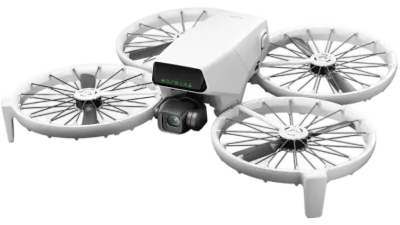
The cheapest way to get a flat, gradeable file out of the sky.
- No test and no licence — just a £12.34 registration you do online.
- Records D-Log M at 150 Mbps, and shoots true vertical for short-form.
- In D-Log M the ISO ceiling is 1600, so it runs out of light earlier than anything above it.
Best for Grading and Client Delivery: DJI Mavic 4 Pro
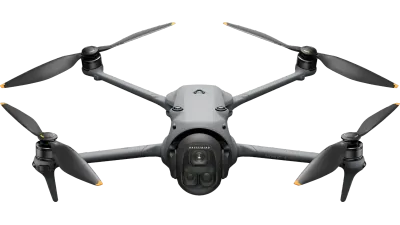
The only drone here that writes 10-bit 4:2:2, and the only one you can stop down.
- Needs the A2 test to fly near people, and weighs over a kilogram.
- 10-bit 4:2:2 in H.264 ALL-I — and 1,200 Mbps eats about 9 GB of card a minute.
- A variable f/2.0–f/11 aperture, worth roughly five stops of built-in neutral density.
Best for Cutting Wide to Tight: DJI Air 3S
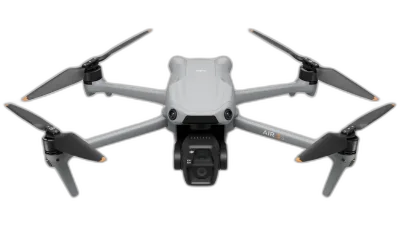
Two focal lengths that both shoot 4K at 120 frames, so the cut between them holds.
- Two real focal lengths, 24mm and 70mm, both recording 4K at up to 120 frames.
- From January 2028 it needs the A2 test to fly near people — you are buying about eighteen months of that freedom.
- Same 10-bit D-Log M and same 130 Mbps as the Mini 5 Pro, on a drone nearly three times the weight.
Best for the Shot You Cannot Fake in the Edit: DJI Avata 2
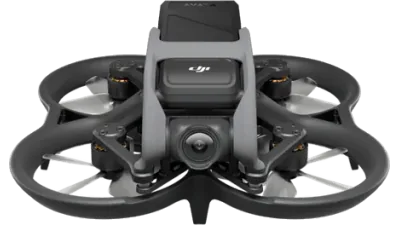
One continuous move through a space, at speed, in a single take.
- The law requires a second person watching the drone whenever you fly it through goggles.
- Records D-Log M, but through a 155-degree lens that bends every straight line in the frame.
- From January 2028 it needs the A2 test to fly near people — one of only two here that lose that freedom.
Affiliate links · costs you nothing extra · full disclosure
Take the quiz: find the best drone for the footage you actually shoot
Four questions about what you shoot and what you do to it afterwards.
- Ranked on the file that lands on your timeline, not on the stills spec.
- Tells you honestly which drones have no log profile to grade at all.
- Counts the paperwork, including the rule change that lands on 1 January 2028.
- About 20 seconds, and no email needed.
STEP 1 OF 4
14 of 14 still fit
All fourteen, and what each one puts on your timeline
-
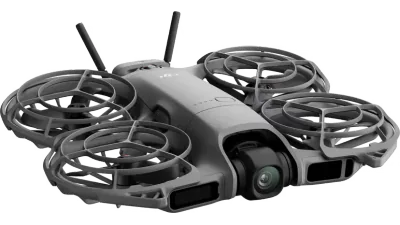
DJI Neo 2 no log profile
151 g · C0 · 4K/100 · 80 Mbps · no log · no test needed
Throw it off your palm and it films you walking away. Genuinely lovely at that one job, and there is no flat profile on it, so what the camera decides is what you keep.
- No test and no licence — just a £12.34 registration you do online.
- DJI lists one colour mode: Normal. There is no log profile, so there is nothing to grade.
- 80 Mbps is the lowest bitrate here — the least data of any drone in this guide.
-
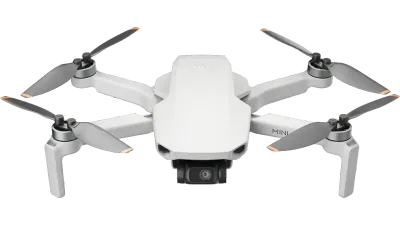
DJI Mini 4K DJI UK no longer lists it
246 g · 4K/30 max · 100 Mbps · H.264 only · no log
The cheapest stabilised aerial shot in Britain, and the most limited video file on this page. 4K stops at 30 frames, so there is no slow motion and no 50fps safety net.
- No test and no licence — just a £12.34 registration you do online.
- 4K caps at 30 frames a second, in 8-bit H.264, with no log profile at all.
- DJI no longer lists it in the UK, so you are buying up remaining stock.
-
DJI Flip
249 g · C0 · 4K/100 · 150 Mbps · D-Log M · no test needed
The cheapest drone here that hands you a flat, gradeable file, and it shoots true vertical as well. The quiet bargain of this list if you are learning to grade.
- No test and no licence — just a £12.34 registration you do online.
- Records D-Log M, so you get a flat, gradeable file from the cheapest drone here that offers one.
- In D-Log M the ISO ceiling drops from 6400 to 1600 — two stops gone the moment you select it.
-
DJI Avata 2 loses privileges in 2028 · Amazon lists the Fly More Combo
377 g · C1 · 4K/60 · 155° · D-Log M · observer required
The only drone here that produces a shot you cannot fake in an edit — a single continuous move through a space. It also legally requires a second person stood beside you, every flight.
- The law requires a second person watching the drone whenever you fly it through goggles.
- Records D-Log M, but through a 155-degree lens that bends every straight line in the frame.
- From January 2028 it needs the A2 test to fly near people — one of only two here that lose that freedom.
-
HOVERAir X1 PRO no log profile
191.5 g · C0 · 4K/60 max · 100 Mbps · 8-bit only · no test needed
The same airframe as the PROMAX with the video half taken out. HOVERAir lists two colour modes for it and both are 8-bit, 4K stops at 60 frames, and the sensor drops to 1/2-inch. Of the two HOVERAirs, this is the wrong one for anyone who grades.
- No test and no licence — just a £12.34 registration you do online.
- HOVERAir lists two colour modes, both 8-bit. There is no log profile, so there is nothing to grade.
- 4K stops at 60 frames and 100 Mbps, against 120 frames and 160 Mbps on the PROMAX.
-
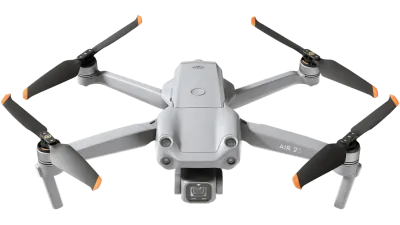
DJI Air 2S renewed stock only
595 g · legacy, no class mark · 5.4K/30 · 150 Mbps · 10-bit D-Log M
A one-inch sensor and a 10-bit log profile for less than anything else here charges, if you will accept a renewed unit. Five years old and the footage still holds up.
no link- Needs the A2 test to fly near people. Without it you stay 150m from anything built-up.
- 10-bit D-Log M off a one-inch sensor, which nothing else this cheap gives you.
- In 10-bit the manual ISO ceiling falls from 6400 to 1600 — and DJI caps auto at 800.
-
HOVERAir X1 PROMAX flies itself · rear sensing only
192.5 g · C0 · 8K/30, 4K/120 · 160 Mbps · 10-bit H-Log · no test needed
A 192-gram camera that launches off your palm, flies itself, and still writes a 10-bit log file at 160 megabits. That is more data a second than any DJI on this page except the two Mavics, and it is the surprise of this list. What you give up is any real say in where it goes.
- No test and no licence — just a £12.34 registration you do online.
- 10-bit H-Log and 10-bit HLG at up to 160 Mbps, and vertical 4K in HLG, which nothing else here offers.
- Sixteen minutes of flight time, and a two-axis gimbal leaning on electronic stabilisation rather than the three-axis every DJI here carries.
-
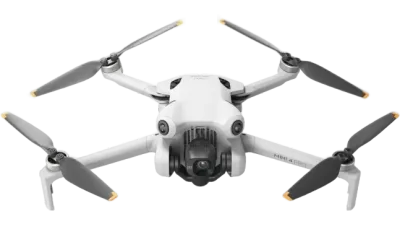
DJI Mini 4 Pro
249 g · C0 · 4K/100 · 150 Mbps · D-Log M · no test needed
For two years this was the sensible answer for anyone filming under 250 grams. The Mini 5 Pro arrived with a bigger sensor and more frames for a modest step up, and made this a hard sell.
- No test and no licence — just a £12.34 registration you do online.
- 4K at 100 frames and 150 Mbps, which is more data per second than the Mini 5 Pro records.
- In D-Log M the ISO ceiling is 1600, against 3200 on the Mini 5 Pro. One stop, and you will feel it at dusk.
-
DJI Mini 5 Pro
249.9 g · C0 · 4K/120 · 130 Mbps · 10-bit D-Log M · no test needed
A one-inch sensor, a 10-bit log profile and 4K at 120 frames, under the weight where UK law stops asking you questions. Nothing else on this list manages all four.
- No test and no licence — just a £12.34 registration you do online.
- 10-bit D-Log M from a 1-inch sensor, and 4K at up to 120 frames for slow motion.
- 36 minutes on the standard battery. DJI’s 52-minute figure needs the bigger battery that pushes it over 249 g.
-
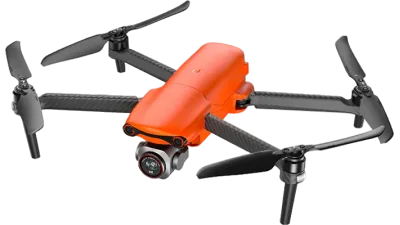
Autel EVO Lite+ no affiliate link — I could not confirm a UK listing
835 g · legacy, no class mark · 5.4K/30 · 120 Mbps · f/2.8–f/11
Here so nobody can call this list a DJI catalogue, and it earns its place on one spec: an aperture that actually moves. Autel lists no log profile for it, which for a video buyer is the thing that matters most.
no link- Needs the A2 test to fly near people.
- A variable f/2.8–f/11 aperture — one of only three drones here that can stop down instead of filtering.
- I could not confirm a UK listing, so there is no buy link for it.
-
DJI Air 3S loses privileges in 2028
724 g · C1 · 4K/120 on both lenses · 130 Mbps · D-Log M
Two focal lengths that both shoot 4K at 120 frames, which lets you cut wide to tight without the join showing. Its legal position in 2028 is the catch, and it is a real one.
- No test needed today, but from January 2028 it needs the A2 to fly near people. You are buying about eighteen months of that freedom.
- Two real focal lengths, 24mm and 70mm, both recording 4K at up to 120 frames.
- The same 10-bit D-Log M and the same 130 Mbps ceiling as the Mini 5 Pro, on a heavier drone.
-
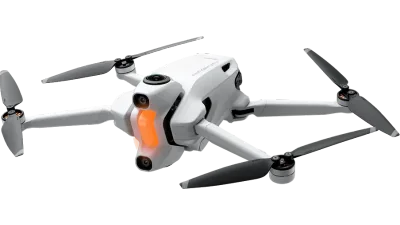
Antigravity A1 exports through its own app
249 g · 8K 360°@30 · 170 Mbps · INSV files · no test needed
It films every direction at once and you choose the framing afterwards, which is a genuinely different way to shoot. The files are INSV and have to be reframed and exported in the maker’s own software first.
- No licence needed — it stays under 250 grams on the standard battery.
- 8K in every direction at once, so you point the camera in the edit rather than in the air.
- Records INSV, which the Antigravity app or desktop Studio has to export before anything else can read it.
-
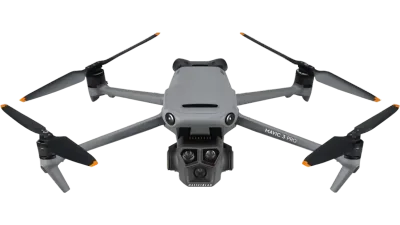
DJI Mavic 3 Pro out of stock in every configuration at DJI UK · Amazon lists the Fly More Combo
958 g · C2 · 5.1K/50 · 200 Mbps · 10-bit D-Log · f/2.8–f/11
A superb three-camera drone that DJI has effectively stopped selling here. Its D-Log runs from ISO 400 to 1600 and no further, which is the tightest exposure window on this page.
- Needs the A2 test to fly near people.
- A Four Thirds sensor with a variable f/2.8–f/11 aperture, and 200 Mbps to write it with.
- Out of stock in every configuration at DJI UK, so you are buying old stock at old prices.
-
DJI Mavic 4 Pro
1,063 g · C2 · 6K/60 · 10-bit 4:2:2 · 1,200 Mbps ALL-I · f/2.0–f/11
The only drone here that records 10-bit 4:2:2, and the only one whose aperture moves through five stops. If you are being paid for the footage this is the answer, and if you are not, it is far too much drone.
- Needs the A2 test to fly near people.
- 10-bit 4:2:2 in H.264 ALL-I, the only drone here that keeps that much colour information.
- A variable f/2.0–f/11 aperture, which is five stops of exposure control the others do not have.
Roughly cheapest first, and I do not print the prices: they move week to week, and a figure typed into a page in July is wrong by September — open the link and read the live one. Where a row is flagged as a combo, that is the configuration the link points at, so check what is in the box before you judge what it costs against the rest. Video specifications from manufacturer specification pages and user manuals, checked 31 July 2026. Comparison specifications from DroneCompare, CC BY 4.0.
PART TWO
The 180° shutter rule, and why footage looks like CCTV without it
Take a drone out of the box on a bright afternoon, leave the camera on automatic, and press record. The clip you get back will be sharp, correctly exposed, and wrong in a way you can feel before you can name. Pans will stutter. A car crossing the frame will move in visible steps. Water will look like a photograph of water rather than water.
That is not the sensor and it is not the lens. It is the shutter speed, and it is the single biggest gap between drone footage that looks like a film and drone footage that looks like it came off a car park camera.
What the rule actually says
A frame of video is not a moment. It is a short exposure, and anything that moves during that exposure smears across the frame. That smear is motion blur, and your eye reads it as movement. Take it away and each frame is a crisp separate photograph, so instead of flowing, motion arrives in stops.
The convention that film settled on is to expose for about half the time each frame is on screen. It comes from a rotating disc in a film camera with a 180-degree opening cut into it: half a turn open, half a turn closed. In digital terms it means one thing:
Set your shutter speed to roughly double your frame rate. 25 fps wants 1/50s. 30 fps wants 1/60s. 50 fps wants 1/100s. 24 fps wants 1/48s, and since almost nothing offers 1/48, you use 1/50 and nobody has ever noticed.
That is the whole rule. It is not a law of physics and there are shots that break it deliberately — a fast shutter is exactly right for a gritty, stepped action sequence. But it is the default that makes footage look intentional, and if you are cutting drone shots against anything filmed on the ground, matching shutter is what stops the drone clips announcing themselves.
Why a drone makes it hard, and a camera does not
On the ground, holding 1/50s in daylight is trivial. You close the aperture. f/2 becomes f/11, five stops of light disappear, and you carry on. On a drone you usually cannot, because on eleven of the fourteen drones above the aperture does not move at all.
The DJI Mini 5 Pro is f/1.8. The Air 3S is f/1.8. The Mini 4 Pro and Flip are f/1.7. The HOVERAir X1 PROMAX is f/2.55. The Avata 2 and the HOVERAir X1 PRO are f/2.8. Those are not defaults you can override — there is no ring, no dial and no menu item. Three drones in this guide can stop down: the Mavic 4 Pro at f/2.0–f/11, the Mavic 3 Pro at f/2.8–f/11 and the Autel EVO Lite+ at f/2.8–f/11.
Nor can you go the other way and simply pick a slower shutter, because the slowest shutter a drone will give you is tied to the frame rate. Autel states it plainly on the EVO Lite+ — the video shutter range is “1/8000 ~ 1/frame rates”. DJI publishes 1/8000–1/30s for the Neo 2 and the Avata 2, and HOVERAir publishes exactly the same 1/30s floor on both X1s. You cannot expose for longer than one frame lasts. There is nowhere to hide.
So here is the arithmetic that catches everyone. Bright sun, ISO at its floor of 100, and you want 1/50s at f/1.8. Start from the old sunny-16 rule — correct exposure in that light is about f/16 at 1/100s. Opening from f/16 to f/1.8 lets in roughly 79 times more light, which is 6.3 stops. Slowing from 1/100 to 1/50 adds another stop. You are seven and a bit stops overexposed before you have even started composing.
Your camera resolves that by picking 1/8000s on your behalf, which is precisely how you end up with CCTV. The only real fix is to physically take light out in front of the lens.
Which is what ND filters are, and why they are not optional
A neutral density filter is a grey piece of glass that clips onto the front of the camera and removes light without changing colour. The number is how much: ND16 removes 4 stops, ND64 removes 6, ND256 removes 8. On a drone with a fixed aperture they are not an accessory. They are the exposure control you no longer have.
Here is what you actually need on an f/1.8 drone shooting 25 fps at 1/50s and ISO 100, worked from that same sunny-16 starting point.
WHICH ND, IN WHICH LIGHT — f/1.8, 1/50s, ISO 100
| THE LIGHT | STOPS OVER | FILTER |
|---|---|---|
| Hard midday sun, no cloud | ~7.3 | ND256 |
| Hazy sun, light cloud | ~6.3 | ND128 or ND64 |
| Ordinary British overcast | ~5.3 | ND64 or ND32 |
| Heavy cloud, late afternoon | ~4.3 | ND16 |
| Golden hour | ~3.3 | ND8 or ND16 |
| Dusk, blue hour | 0–2 | none |
Arithmetic, not measurement: worked from the sunny-16 rule and the standard one-stop steps for cloud cover. Treat it as which filter to reach for first, then trust the histogram. On the f/1.7 Mini 4 Pro and Flip, add about a fifth of a stop. On the f/2.55 HOVERAir X1 PROMAX, take off about a stop; on the f/2.8 Avata 2 and X1 PRO, about one and a quarter.
Look at what that table says about a typical three-filter kit — ND16, ND64 and ND256. That is not an arbitrary selection. It is golden hour, British overcast and hard sun, which is very nearly the entire British year. Buy the set, not the single filter.
Two things worth knowing that nobody puts on the box. The first is that a polariser is not an ND filter. A CPL cuts reflections off water and glass and deepens a blue sky, and it happens to cost you a stop or two on the way through, but it is not an exposure tool and it will not get you anywhere near seven stops. Buy both if you want, but do not buy the CPL expecting it to do this job.
The second is a free half-solution that costs nothing. Shoot at 50 fps instead of 25. The rule then wants 1/100s rather than 1/50s, which is a whole stop less light to get rid of, so the ND256 becomes an ND128 and the marginal shot becomes possible. You also get footage you can slow to half speed in the edit. The cost is a slightly different feel and twice the data on the card, which brings us neatly to what is actually being written.
The one drone that escapes all of this
The Mavic 4 Pro’s f/2.0–f/11 aperture is worth almost exactly five stops. Close it down and you have five stops of neutral density built into the lens, adjustable from the controller, with no glass to clip on and nothing to lose in a field. In the light where you would otherwise be reaching for an ND32 or ND64, you simply turn a dial.
I would still not call it a solution, for two reasons. In hard midday sun even f/11 leaves you about two stops over at 1/50s, so a light ND stays in the bag. And f/11 on a Four Thirds sensor is deep into the range where diffraction starts softening fine detail — you are trading sharpness for exposure. It is a much better position to be in than a fixed f/1.8. It is not a free pass.
Before the first flight: what UK law wants from someone filming
This is the part that blindsides people who came to drones from cameras, because nothing you have ever bought for filming has needed registering. This does, and it needs registering before you fly it rather than after.
Two registrations, and you need both
A Flyer ID belongs to the person at the controls. It is a free online theory test, it takes an evening at most, and it lasts five years. Anyone flying a drone of 100 grams or more needs one.
An Operator ID belongs to whoever owns the drone. It costs £12.34 a year, you must be 18 or over to register for one, and the number goes on a label stuck to the outside of the drone. Any drone of 100 grams or more with a camera needs one.
Every drone in this guide has a camera and weighs more than 100 grams, so both apply to all fourteen, including the 151-gram Neo 2. One Operator ID covers every drone you own, so the cost does not multiply.
Then weight decides where you can stand
After registration, the rules sort drones into three sub-categories by how likely they are to hurt someone. Over People (A1) is the permissive one: you can fly in built-up areas and closer than 50 metres to people, though never over a crowd. Near People (A2) needs a qualification. Far from People (A3) is the restrictive one — 150 metres from residential, commercial, industrial and recreational areas, which in most of Britain means driving to a field.
Anything under 250 grams flies in A1 with nothing further to do. That is why so much clever engineering has gone into keeping a one-inch sensor under 249.9 grams: the weight is not a boast, it is a legal position. Above it you are into class marks — a letter and number stamped on the drone by the manufacturer — and for a C2 drone like either Mavic, into a test.
The 120-metre height limit and the requirement to keep the drone in direct sight apply in every sub-category, at every weight. There is no tier of the Open Category that lets you fly higher or further than you can see.
The A2 Certificate of Competence, in plain words
The A2 CofC is a theory test of at least thirty multiple-choice questions, taken with a CAA-approved provider called a Recognised Assessment Entity. It covers meteorology, flight performance and ground-risk mitigation, it can be sat online, and it lasts five years. The CAA does not set the price — the providers do — so it varies and it is worth ringing round.
What it buys you is Near People (A2) for a C2 drone or a legacy drone under 2 kg. In this guide that means the Mavic 4 Pro, the Mavic 3 Pro, the Air 2S and the Autel EVO Lite+. Without it, all four are A3-only.
And the part the shops never mention: if you buy under 250 grams, the A2 CofC buys you nothing whatsoever. You already hold better privileges than it grants. Decide the weight first and the paperwork second, never the other way round.
If you fly through goggles, you need a second person
This one is specific to the Avata 2 and it is not a guideline. Flying by watching a live video feed instead of watching the drone is First Person View, and UK rules require an observer stood next to you whenever you do it. At all times at least one of you must be able to see the drone with your own eyes, clearly enough to tell which way it is facing, and have a full view of the surrounding airspace.
The observer needs no qualification and no Flyer ID — you can bring a friend — but you remain legally responsible for the flight. Practically it means an Avata 2 is a two-person hobby. If nobody is coming with you, you are not flying it.
And then there is 1 January 2028
Until 31 December 2027, a drone carrying a European C class mark can be flown as though it held the equivalent UK class. From 1 January 2028 that stops. A C-marked drone becomes a legacy drone and falls back to plain weight rules: under 250 g flies A1, under 2 kg needs an A2 CofC, under 25 kg is A3.
For most of this list nothing changes. Everything under 250 grams stays exactly where it is. The C2 Mavics already need an A2 CofC and will carry on needing one. But two drones here fall off a cliff, and both are C1 drones weighing more than 250 grams:
WHAT CHANGES ON 1 JAN 2028
| DRONE | TODAY | FROM 2028 |
|---|---|---|
| DJI Air 3S 724 g, C1 | Over People (A1), no qualification | Near People (A2), A2 CofC required |
| DJI Avata 2 377 g, C1 | Over People (A1), no qualification | Near People (A2), A2 CofC required |
Nothing gets confiscated and nothing becomes illegal to own. But if part of the appeal of an Air 3S is that it needs no qualification, understand that you are buying about eighteen months of that, not a permanent state of affairs. Either budget for the test in 2027, or buy under 250 grams and never think about it again.
One last thing if money is going to change hands for the footage. UK rules do not divide the Open Category into hobby and professional flying — if the drone is legal for you to fly, it is legal to be paid for what it films. What does change is that third-party insurance becomes mandatory rather than optional, and that you will want the landowner’s permission for wherever you take off from.
PART THREE
What actually lands on the card, and what it costs you
You have the shutter right and the filter on. Now the part that decides whether the clip survives contact with a grading panel: how many colours the file holds, whether there is a flat profile to grade at all, and what selecting that profile quietly takes away from you.
8-bit, 10-bit, and the sky that bands
An 8-bit file carries about 16.7 million colours. A 10-bit file carries roughly 1.07 billion. That sounds like a difference nobody could see, and in an ungraded clip it very nearly is. It shows up the moment you push.
Take a clear blue sky, which is a smooth gradient from deep at the top to pale at the horizon. In 8-bit there are only so many steps available to describe that gradient. Lift the shadows, add contrast, warm the highlights, and those steps separate into visible stripes. Ten bits gives the same gradient enough intermediate values to survive the same push. That is the practical difference, and for drone footage — which is mostly sky and mostly gradient — it is not a small one.
Then there is chroma subsampling, the second number nobody explains. Almost every drone records 4:2:0, meaning colour is stored at a quarter of the resolution of brightness. Your eye barely notices until you try to key a sky, pull a secondary correction on a single colour, or cut a hard edge — then the colour edges turn to mush. 4:2:2 keeps twice as much colour detail horizontally.
In this guide, exactly one drone records 10-bit 4:2:2: the Mavic 4 Pro, using H.264 ALL-I. Every other drone here that publishes a chroma figure at all is 10-bit 4:2:0, and several — including HOVERAir on the X1 PROMAX’s H-Log — publish a bit depth but no chroma figure whatsoever. If you deliver to clients who ask about chroma, that single spec is most of what nearly tripling your spend actually buys.
What each one actually writes
The video spec, all fourteen
| DRONE | TOP MODE | COLOUR PROFILES | DEPTH | BITRATE |
|---|---|---|---|---|
| Mavic 4 Pro | 6K/60, 4K/120 | Normal, HLG, D-Log M, D-Log | 10-bit 4:2:2 | 1,200 Mbps |
| Mavic 3 Pro | 5.1K/50, 4K/120 | Normal, D-Log | 10-bit 4:2:0 | 200 Mbps |
| Air 3S | 4K/120, both lenses | Normal, HLG, D-Log M | 10-bit 4:2:0 | 130 Mbps |
| Mini 5 Pro | 4K/120 | Normal, HLG, D-Log M | 10-bit 4:2:0 | 130 Mbps |
| Mini 4 Pro | 4K/100 | Normal, HLG, D-Log M | 10-bit 4:2:0 in log | 150 Mbps |
| HOVERAir X1 PROMAX | 8K/30, 4K/120 | Standard, HDR, HLG, H-Log | 10-bit, chroma not stated | 160 Mbps |
| Air 2S | 5.4K/30, 4K/60 | Normal, D-Log M | 10-bit | 150 Mbps |
| Flip | 4K/100 | Normal, D-Log M | not stated | 150 Mbps |
| Avata 2 | 4K/100 (16:9) | Standard, D-Log M | not stated | 130 Mbps |
| Antigravity A1 | 8K/30 (360°) | none listed | not stated | 170 Mbps |
| EVO Lite+ | 5.4K/30, 4K/60 | none listed | not stated | 120 Mbps |
| HOVERAir X1 PRO | 4K/60 | Standard and HDR only | 8-bit | 100 Mbps |
| Neo 2 | 4K/100 (16:9) | Normal only | not stated | 80 Mbps |
| Mini 4K | 4K/30 | Normal only | 8-bit H.264 | 100 Mbps |
From manufacturer specification pages and user manuals, checked 31 July 2026. “Not stated” means the maker publishes a colour mode but not a bit depth or chroma figure I could quote, so I have left it blank rather than assume. The Antigravity A1 and Autel EVO Lite+ list no log or flat profile at all on the sources I could read, and HOVERAir states 10-bit for the X1 PROMAX’s H-Log and HLG but publishes no chroma figure for either.
The two stops that log quietly costs you
Here is the thing that is genuinely not on the box, and that nobody discovers until their first dusk flight. Selecting the log profile collapses your usable ISO range.
These are manufacturer figures, not mine.
| DRONE | NORMAL | IN LOG |
|---|---|---|
| DJI Mini 5 Pro | ISO 12800 | ISO 3200 |
| DJI Air 3S | ISO 12800 | ISO 3200 |
| DJI Mini 4 Pro | ISO 6400 | ISO 1600 |
| DJI Flip | ISO 6400 | ISO 1600 |
| DJI Air 2S manual mode | ISO 6400 | ISO 1600 |
| DJI Mavic 4 Pro D-Log M | ISO 12800 | ISO 6400 |
| DJI Mavic 3 Pro D-Log | ISO 6400 | ISO 400–1600 |
Two full stops on most of them. The moment you select the profile you bought the drone for, its low-light performance falls off a cliff. And look at the bottom two rows, because they contain the two facts that surprise people most: the Mavic 4 Pro gives up only one stop rather than two, which is a real advantage of the bigger sensor and better processing — and the Mavic 3 Pro’s D-Log has an ISO floor of 400 as well as a ceiling of 1600. A floor. On a bright day that pushes you towards a stronger filter, not a weaker one.
The HOVERAir X1 PROMAX is missing from that table for an honest reason. HOVERAir publishes one video ISO range for it — 100 to 12800 — and does not say anywhere I could find whether selecting H-Log narrows it, as every DJI here does. So I will not print a number I have not seen. Assume it behaves like the rest until HOVERAir says otherwise, and expose accordingly.
None of this is a reason to avoid log. It is a reason to plan the day around it. Shoot log while the light is good, and switch to a standard profile once the sun is down rather than dragging a noisy ISO 3200 log clip through a grade and wondering why it falls apart.
The card, and the arithmetic nobody does
Bitrate is how much data a second of footage takes. It is quoted in megabits, and cards are quoted in megabytes, so the conversion is a divide by eight. Once you do it, the numbers stop being abstract:
- 130 Mbps — the Mini 5 Pro and Air 3S — is about 1 GB a minute. A full 36-minute battery, recorded end to end, is roughly 35 GB.
- 150 Mbps — the Mini 4 Pro, Flip and Air 2S — is about 1.1 GB a minute, or 68 GB an hour.
- 160 Mbps — the HOVERAir X1 PROMAX at 8K — is about 1.2 GB a minute. Its 64 GB of internal storage therefore holds roughly 53 minutes, which is more than three of its batteries.
- 1,200 Mbps — the Mavic 4 Pro in H.264 ALL-I — is 9 GB a minute. Under an hour of that fills half a terabyte.
That last figure is also a write-speed problem, not just a capacity one. The V number on a card is its guaranteed minimum sustained write in megabytes per second: V30 promises 30 MB/s, V60 promises 60, V90 promises 90. A 130 Mbps drone needs about 16 MB/s, so V30 has comfortable headroom and is the sensible floor. A 1,200 Mbps ALL-I stream needs 150 MB/s sustained, which is past what any V-rated microSD card guarantees — which is precisely why the top Mavic combos ship with internal storage.
One last practical warning. Almost all of this footage is H.265/HEVC, and 10-bit HEVC is hard work to scrub through on an older laptop. If your timeline stutters, the drone is not at fault — make proxies, or transcode to an editing codec before you start. I would rather you knew that before you bought the drone than after.
THE THREE THINGS A VIDEO KIT ACTUALLY NEEDS
- Check price
An ND filter set
Not optional. With a fixed aperture it is your only exposure control in daylight.
- Check price
A 256GB V30 card, at least
Video eats about a gigabyte a minute. V30 guarantees the write speed to keep up.
- Check price
A second standard battery
The standard one, not the Plus — that upgrade costs you the sub-250g status.
Affiliate links · costs you nothing extra · full disclosure
So what does the first year cost? Exactly one number in it is fixed, and it is the smallest one: £12.34 for the Operator ID, which the CAA sets and nobody discounts. Everything else moves week to week, so rather than print figures that will be wrong by the time you read them, here is the shape of the bill.
Start with whatever the drone costs on the day. Then add the three things a video kit cannot do without — a set of ND filters, a 256GB V30 card and a second standard battery. On a Mini 5 Pro those three together come to something like a quarter of the drone’s own price, so plan for a first year that runs about twenty-five per cent over the number on the box. That is a little steeper than the same drone costs somebody who only shoots stills, because video is what makes the filters compulsory and the card bigger.
Two things people forget to put in. Propellers are consumable and cheap, and you will clip a branch or a wall in the first season — set aside the cost of a spare set and assume you will use them. And if the drone is going anywhere near water or a cliff edge, price up DJI’s Care Refresh cover at the same time as the drone — DJI only sells it in a short window after you activate, so it is not something you can decide about later.
There is no A2 Certificate of Competence in that figure, because under 250 grams there is nothing to sit. On a Mavic 4 Pro there would be, along with a materially larger card budget. Between those two facts sits most of the real cost difference between the top and bottom of this list.
PART FOUR
The answer changes with who watches the footage
Every drone above can produce a nice clip. The question that actually separates them is what happens to that clip afterwards — and specifically, who sees it and next to what. So rather than one ranking, here are five honest answers.
If the footage is yours, and it goes on your channel
The DJI Mini 5 Pro, which sits in the middle of this list on price and at the top of it on everything this guide judges. That is what I’d fly if the footage had to be graded and I were paying for it myself, and I would not spend long deciding.
It records 10-bit D-Log M — the same flat, gradeable profile as drones costing three times as much — from the largest sensor anyone has managed to fit under 250 grams, at up to 4K 120fps. And because it is 249.9 grams, the entire legal conversation is one online registration and a £12.34 fee. No test, no certificate, no 2028 problem, no deciding whether today is a 150-metres-from-everything day. I have flown it, and the thing that struck me was not the picture, it was how little of my attention the paperwork took.
What you give up is real but narrow: 4:2:0 rather than 4:2:2, an ISO ceiling of 3200 in log, and an aperture that never moves. The first matters only if someone is grading hard, the second is solved by shooting before dusk, and the third is solved by a filter set.
If somebody is paying for it
The DJI Mavic 4 Pro, and it is not close. It is the only drone here that writes 10-bit 4:2:2, the only one with an aperture you can actually set, the only one that loses one stop to log rather than two, and the only one with a Four Thirds sensor still on sale in the UK.
Go in knowing the whole bill, though. It is 1,063 grams and C2, so an A2 Certificate of Competence is not optional if you ever want to fly it near anyone. ALL-I recording eats about nine gigabytes a minute. And it is a bag you will think twice about carrying up a hill. If a client is paying, all three are costs of doing business. If not, you are buying colour information nobody will ever look at.
If it gets intercut with a bigger camera
Same answer, different reason. Matching a drone shot to a mirrorless or cinema camera is a colour problem before it is a resolution problem, and the two things that make it easy are a log profile you can normalise and enough chroma to grade. That points at the Mavic 4 Pro again.
If that is out of budget, the honest fallback is not a cheaper drone but a discipline: shoot the Mini 5 Pro in D-Log M, expose slightly to the right, and do your matching in the grade rather than hoping the files line up. It works. It just takes you longer.
If you want a shot you cannot get any other way
The DJI Avata 2 does one thing nothing else on this list can: a single unbroken move at speed, through and around things, that reads as one continuous take because it is one. That shot has become the signature of a whole genre of short film, and no amount of grading will fake it.
It is also the most conditional recommendation here. You need an observer stood beside you every single flight, the 155-degree lens bends every straight line in the frame, and from January 2028 it needs the A2 test to fly near people. Buy it as a second drone for a specific shot, never as your only one.
If you are the one in the shot
The HOVERAir X1 PROMAX, and it took me by surprise. Every other drone on this list assumes somebody is standing on the ground holding a controller. This one launches off your palm, picks its own framing and follows you at up to 42 km/h — and unlike every other self-flying camera I looked at, it does it while recording 10-bit H-Log at 160 megabits a second. That is a genuinely gradeable file coming off a 192-gram object that nobody is flying.
On this article’s own terms it is a serious camera. Its 160 Mbps ceiling is higher than any DJI here bar the two Mavics, it does 4K at 120 frames like the Mini 5 Pro, and it is the only drone on this page that shoots vertical 4K in a 10-bit profile — which, if short-form is where the footage ends up, is a bigger deal than any of the numbers above it. C0 and under 250 grams, so the paperwork is the same £12.34 registration as the Mini 5 Pro.
I have not flown either HOVERAir, so take the following as reading the specification rather than a report from a field. The gimbal is two-axis with electronic stabilisation covering the third, where every DJI here has three mechanical axes. Sixteen minutes is half a Mini 5 Pro battery. The only obstacle sensing faces backwards, so ahead of it and beside it the drone is blind. And the sensor is 1/1.3-inch, not the one-inch chip that makes the Mini 5 Pro the pick. Buy it because you are in the shot and there is nobody to hold the controller. Do not buy it as a general-purpose camera you can point.
The three I would not buy for video at all
The DJI Mini 4K, the DJI Neo 2 and the HOVERAir X1 PRO, and in all three cases for the same reason: there is no flat profile, so there is nothing to grade. Whatever the camera decided about contrast and colour at the moment you pressed record is what you are stuck with. Push it in an edit and it breaks.
The Mini 4K compounds it by capping 4K at 30 frames in 8-bit H.264, which means no slow motion and no headroom whatsoever. The Neo 2 is a lovely object that films you off your own palm, and at 80 Mbps it writes less data than anything else here. Both are perfectly good drones for somebody. Neither is a drone for someone who opens a grading panel.
The X1 PRO is the one that stings, because it is the same airframe as the PROMAX I have just recommended and it costs about eighty pounds less. HOVERAir lists exactly two colour modes for it and both are 8-bit; 4K stops at 60 frames rather than 120; the bitrate ceiling is 100 rather than 160 Mbps; and the sensor drops from 1/1.3-inch to 1/2-inch. That is the whole argument of this guide compressed into one product decision by one manufacturer: the cheaper model saves you a little money and costs you the entire gradeable pipeline. If you want a HOVERAir for video, the PRO is not the one.
I would say the same, more gently, about the Antigravity A1. Eight-K in every direction at once is a genuinely interesting way to shoot, but the files are INSV and have to be reframed and exported through the maker’s own software before your editor will look at them. That is a workflow decision, not a camera decision, and it is a bigger commitment than the spec sheet makes it sound.
And if the honest answer is that you need aerial footage once, for one project — a drone videographer already owns the drone, the filters, the qualification and the insurance, and will hand you graded footage the same week. For a single job that is almost always cheaper than buying. You can hire a qualified drone pilot without any of this becoming your problem.
If you would rather come at it from the stills side, I have written the same exercise judged entirely on the still frame in the best drone for photography guide, and a broader comparison in the best camera drone UK roundup. If the 250-gram line is the bit that interests you most, the sub-250g guide goes through it properly, and if this is your first drone of any kind, start with the beginner drones guide instead.
Best drone for video: the questions I get asked most
What is the best drone for video in the UK in 2026?
The DJI Mini 5 Pro. It records 10-bit D-Log M from a one-inch sensor at up to 4K 120fps, which is a gradeable file rather than a baked-in one, and at 249.9 grams it needs no test and no certificate to fly. Spend less and the DJI Flip records the same D-Log M profile from a smaller sensor for well under half the money. Spend more and the DJI Mavic 4 Pro is the better film camera outright — it is the only drone here that writes 10-bit 4:2:2, and the only one whose aperture actually moves.
What is the 180-degree shutter rule, and does it matter on a drone?
It is the habit of setting your shutter speed to roughly double your frame rate — 1/50s at 25fps, 1/60s at 30fps. That gives each frame about half a frame’s worth of motion blur, which is what your eye reads as natural movement. Set the shutter much faster and every frame freezes: motion steps instead of flowing, and the clip looks like security-camera footage. It matters more on a drone than on the ground, because a drone is almost always moving, and because almost no drone has an aperture you can close to hold that shutter speed in daylight.
Do I need ND filters for drone video?
For daylight video on almost every drone in this guide, yes — they are the only exposure control you have left. The DJI Mini 5 Pro and Air 3S are fixed at f/1.8, the Mini 4 Pro and Flip at f/1.7, the HOVERAir X1 PROMAX at f/2.55, and the Avata 2 and HOVERAir X1 PRO at f/2.8. With no aperture to close and ISO already at its floor, holding a 1/50s shutter in bright sun means taking roughly seven stops of light out in front of the lens. Only the DJI Mavic 4 Pro (f/2.0–f/11), Mavic 3 Pro (f/2.8–f/11) and Autel EVO Lite+ (f/2.8–f/11) can stop down instead, and even those still need a light ND in full sun.
Which drones shoot 10-bit log video?
In this guide: the DJI Mavic 4 Pro (D-Log and D-Log M, and the only one that writes 10-bit 4:2:2), the Mavic 3 Pro (10-bit D-Log), the Air 3S, Mini 5 Pro, Mini 4 Pro, Flip, Avata 2 and Air 2S (all 10-bit D-Log M), and the HOVERAir X1 PROMAX (10-bit H-Log and 10-bit HLG, though HOVERAir publishes no chroma figure). The ones with no log profile at all are the DJI Neo 2, the DJI Mini 4K and the HOVERAir X1 PRO, and I could find no log profile listed for the Autel EVO Lite+ or the Antigravity A1. Be aware that selecting log costs you ISO headroom: on a Mini 5 Pro the video ceiling drops from ISO 12800 to ISO 3200, two full stops.
Do I have to register a drone before I fly it in the UK?
Yes, and before the first flight rather than after it. Any drone of 100 grams or more needs a Flyer ID for whoever is flying it — a free online theory test, valid five years. Any drone of 100 grams or more with a camera also needs an Operator ID for whoever owns it, which costs £12.34 a year and goes on a label stuck to the drone. Every drone in this guide has a camera and weighs more than 100 grams, so both apply to all fourteen.
Can I fly a drone for a paid video job without a licence?
UK rules do not split the Open Category into hobby and professional flying, so if your drone is legal for you to fly, it is legal to be paid for the footage. What does change is insurance: third-party insurance is mandatory for commercial flying and optional for recreation. The other thing that changes is where you can stand. A sub-250-gram drone flies in Over People (A1) with no further qualification, while a C2 drone such as the Mavic 4 Pro needs an A2 Certificate of Competence before you can fly it near anyone at all.
The short version
If you read all of that and still want me to just say it: buy the DJI Mini 5 Pro, and buy a set of ND filters at the same time. It is the cheapest drone you can buy new with a one-inch sensor and a 10-bit log file you can actually grade, and at 249.9 grams there is no test and no certificate to sit.
Affiliate links · costs you nothing extra · full disclosure
This guide deliberately prints no prices. Drone prices move constantly, and the only figure worth trusting is the live one on the listing itself — so follow a link and read it there before you buy anything. Video specifications from manufacturer specification pages and official user manuals, checked 31 July 2026. Regulatory detail from the UK Civil Aviation Authority. Filter strengths in the table above are arithmetic from the sunny-16 rule, not measurements. Comparison specifications from DroneCompare, licensed under CC BY 4.0. Amazon links are affiliate links.