Best Drone for Vlogging: What I’d Fly If I Had to Film Myself

Peter Leslie
31 July 2026 · 20 min read
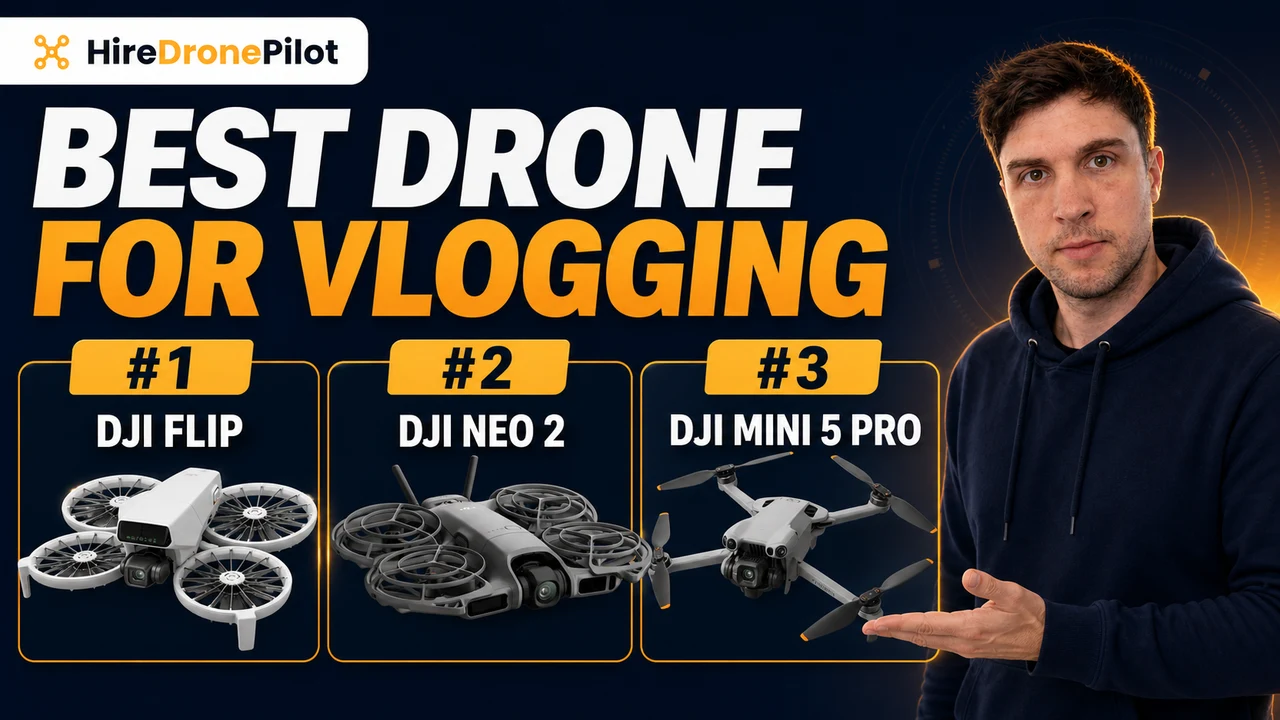
Almost everything written about buying a drone is written for someone standing behind it. You are not that person. You want to be in the shot — walking, riding, talking to camera on a beach with nobody else there to press record.
That changes which specifications matter, and it changes them completely. Sensor size, which is what every other guide argues about, comes fourth or fifth. The two things that actually decide whether a drone is any use to you are these: will it follow and frame you with nobody holding the controller, and where is your voice going to come from.
Which means the best drone for vlogging in 2026 is decided by how well it films you, not by what you point it at.
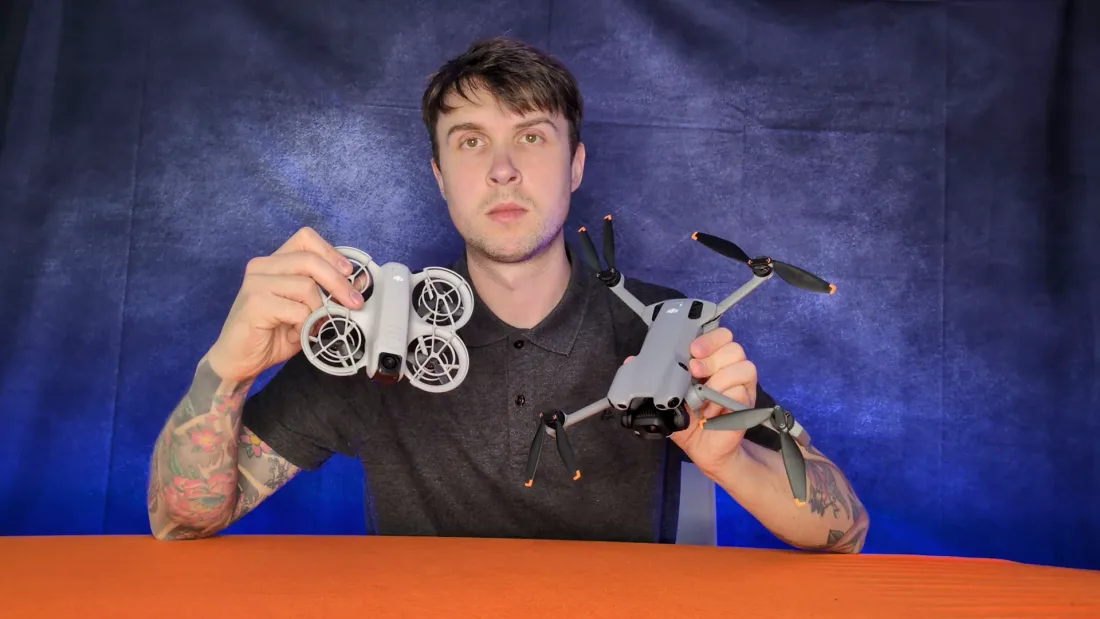
The second one blindsides everybody. I have watched more than one person get home from a genuinely good afternoon of flying, drop the clips into an edit and discover there is no sound on any of them. Not muffled sound. None. That is not a fault, and it is not a cheap drone problem — it is how nearly all of them work, and I have given it a whole section below.
So this guide does three things. It asks four questions about how you actually film and narrows thirteen drones down to the one that suits you. It then tells you, drone by drone, exactly how far away each one will follow a person and where that tracking gives up. And it explains the rule that catches vloggers more than anyone else: fly anything through goggles in the UK and the law requires a second person standing next to you, every single flight.
How I get paid: the Amazon links below are affiliate links, so if you buy through one I earn a small commission at no extra cost to you. It does not change what I recommend — my pick here is one of the cheapest drones on the page, and I spend most of this article explaining why the expensive ones are the wrong shape for what you are doing.
The Best Drone for Vlogging in 2026 Is the DJI Flip
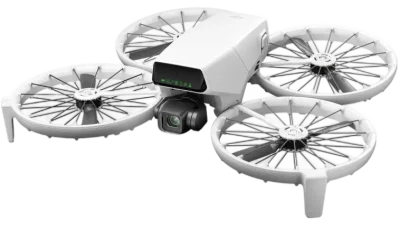
It lifts off your hand, films you on its own, and lands back on your palm. You never touch a controller, and there is nobody else on the beach.
- No test and no licence — just a £12.34 registration you do online.
- Six filming modes on a button on the drone itself. Press it, hold your hand out, and it goes.
- Follows a person between 2 and 10 metres away, which is the framing you actually want for talking to camera.
- A 1/1.3-inch 48-megapixel camera and 2.7K vertical — a real camera, on a drone you launch off your hand and never point at anything.
- One of only four drones here that records sound without you buying extra hardware for it — through your phone, not the drone.
Affiliate link · costs you nothing extra · full disclosure
PART ONE
Here are the five that win their categories outright — and what is wrong with each of them, because not one of these is a clean win.
Best Cheap Vlogging Drone: DJI Neo
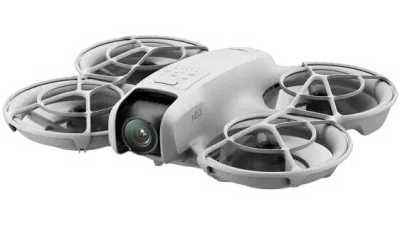
The whole trick — palm launch, follow, palm land — for about the price of a decent tripod.
- No test and no licence — just a £12.34 registration you do online.
- Launches off your palm and follows you with no controller and no phone in your hand.
- It only tracks you out to about seven metres, and a 12-megapixel 1/2-inch camera is a camera for the phone screen.
Best Drone for Being Followed: DJI Neo 2
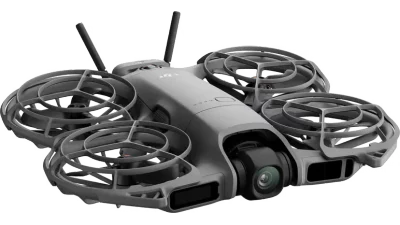
Four times the tracking range of its predecessor, and it can see what it is about to fly into.
- No test and no licence — just a £12.34 registration you do online.
- Holds a person between 4 and 20 metres away, with obstacle sensing in every direction.
- 19 minutes a battery, and a 12-megapixel 1/2-inch camera that falls apart once the sun goes off it.
Best Phone-Free Vlogging Drone: HOVERAir X1 PROMAX
The whole take happens without a phone in front of you — which is the part of the DJI answer that goes wrong most often.
- No test and no licence — just a £12.34 registration you do online.
- No phone and no controller in the system: you pick a mode on the drone itself, hold your hand out, and a 1/1.3-inch sensor shooting 8K does the rest.
- Sound is recorded beside you by HOVERAir’s Beacon and merged into the clip automatically — no app to keep awake in your hand, and nothing to line up afterwards.
- The Beacon is a separate purchase and is not in the standard box, so as bought it records nothing at all — and it is 16 minutes a battery, with nothing watching ahead of it.
Best Vlogging Drone for Vertical Video: DJI Mini 5 Pro
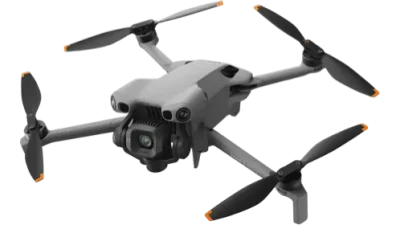
The gimbal physically rotates to portrait, so a vertical clip uses the whole sensor rather than a crop of it.
- No test and no licence — just a £12.34 registration you do online.
- Holds a person between 4 and 20 metres away and shoots a genuinely vertical 4K frame.
- Around 36 minutes on the standard battery, and it records no sound at all.
Best FPV Vlogging Drone — If You Have a Second Person: DJI Avata 360
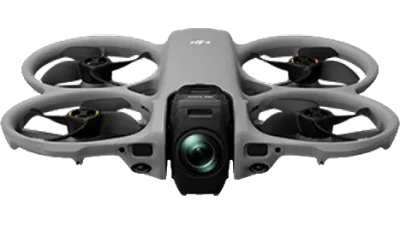
It records every direction at once, so nobody has to aim it at you. Read the first bullet before you get excited.
- Flown through goggles it needs a second person watching it, every flight.
- Two 1/1.1-inch sensors shooting 8K in every direction, so you reframe yourself in the edit rather than on the day.
- From January 2028 its C1 mark stops counting and it needs an A2 test to fly near people.
Affiliate links · costs you nothing extra · full disclosure
Take the quiz: find the best drone for the way you film
Four questions about how you actually film — then one drone, not a top ten.
- Matched to whether you film alone, which changes the answer more than budget does.
- Every DJI drone here is one I have flown myself.
- Tells you which ones can record sound, and which cannot record any.
- About 20 seconds, and no email needed.
STEP 1 OF 4
13 of 13 still fit
All thirteen, and why each one might not suit you
-
DJI Neo
135 g · C0 · follows you 2–7 m · 18 min · no test needed
The cheapest way to have a camera follow you around, and it needs neither a controller nor a phone. The camera is the compromise, and for the least money on this page it is a fair one.
- No test and no licence — just a £12.34 registration you do online.
- Launches off your palm and follows you with no controller and no phone in your hand.
- It only tracks you out to about seven metres, and a 12-megapixel 1/2-inch camera is a camera for the phone screen.
-
DJI Neo 2
151 g · C0 · ActiveTrack 4–20 m · 19 min · no test needed
The first genuinely capable follow-me drone at anything like this money — barely more than the Neo. It sees obstacles in every direction, which is the difference between tracking you along a path and tracking you into a tree.
- No test and no licence — just a £12.34 registration you do online.
- Holds a person between 4 and 20 metres away, with obstacle sensing in every direction.
- 19 minutes a battery, and a 12-megapixel 1/2-inch camera that falls apart once the sun goes off it.
-
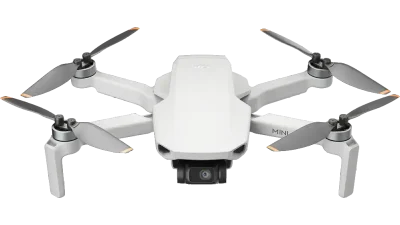
DJI Mini 4K cannot follow you
246 g · no class mark · no subject tracking · 31 min · no test needed
A perfectly decent cheap drone that is the wrong tool for this job. It will fly one preset move around you and come back — it will not follow you anywhere.
- No test and no licence — just a £12.34 registration you do online.
- No subject tracking of any kind, and no way to record sound. For filming yourself, that is two strikes.
- DJI no longer lists it in the UK, so you are buying up remaining stock.
-
DJI Flip
<249 g · C0 · follows you 2–10 m · 31 min · no test needed
A proper 48-megapixel camera bolted to the palm-launch trick, in prop cages, and still in the cheaper half of this list. The most useful shape a vlogging drone currently comes in.
- No test and no licence — just a £12.34 registration you do online.
- Six one-tap modes on a button on the drone, palm takeoff and palm landing. No controller involved.
- A 1/1.3-inch 48-megapixel camera and 2.7K vertical, so it shoots for a phone screen properly.
-
HOVERAir X1 PRO
191.5 g · C0 · follows you at up to 42 km/h · 16 min · no test needed
The purest version of the idea on this page: a camera that flies itself, with no controller and no phone anywhere in the system. The trouble is the PROMAX, which costs a little more and is a great deal more camera.
- No test and no licence — just a £12.34 registration you do online.
- No controller and no phone needed at all: pick a mode on the camera itself, hold your hand out, and it goes.
- HOVERAir quotes 42 km/h maximum auto-follow and 60 km/h instantaneous tracking, measured in a windless test — the fastest follow figures on this page.
- Sensors that face backwards only, 16 minutes a battery, a 12-megapixel 1/2-inch camera, and no sound at all unless you also buy HOVERAir’s Beacon.
-
HOVERAir X1 PROMAX
192.5 g · C0 · follows you at up to 42 km/h · 16 min · no test needed
The best camera here on something that needs no controller at all — a 1/1.3-inch sensor, 8K, and a real 4K vertical frame in a folding mesh cage under 200 grams. What it will not do, out of the box, is record a word you say.
- No test and no licence — just a £12.34 registration you do online.
- A 1/1.3-inch 48-megapixel sensor shooting 8K, and vertical video at a true 4K rather than the 2.7K everything else here manages.
- Follows you with no controller and no phone, and adds a rear vision sensor the PRO does not have.
- Sixteen minutes a battery, nothing watching ahead of it, and no sound unless you add HOVERAir’s Beacon on top.
-
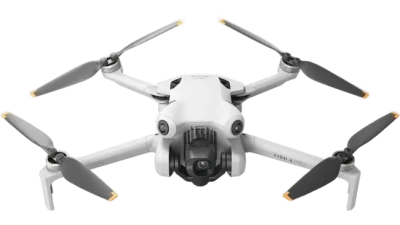
DJI Mini 4 Pro
<249 g · C0 · ActiveTrack 360° · 34 min · no test needed
Two years ago this was the answer to almost every drone question. For filming yourself it is now the awkward middle: a real controller to carry, and no way to record a word you say.
- No test and no licence — just a £12.34 registration you do online.
- A 48-megapixel 1/1.3-inch camera, and what DJI calls True Vertical Shooting — a real 4K portrait frame rather than a crop.
- No audio recording function anywhere in its manual, and you need the controller in your hand to launch it.
-
DJI Mini 5 Pro
249.9 g · C0 · ActiveTrack 4–20 m · 36 min · no test needed
The one to buy if the footage has to look like a film rather than a clip. A one-inch sensor and a gimbal that rotates 225 degrees, still under the 250-gram line.
- No test and no licence — just a £12.34 registration you do online.
- Holds a person between 4 and 20 metres away and shoots a genuinely vertical 4K frame.
- Around 36 minutes on the standard battery. DJI advertises 52, but only with the bigger battery that pushes it over 249 g. And it records no sound at all.
-
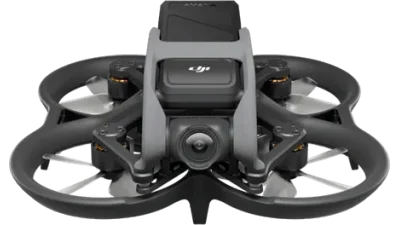
DJI Avata 2 observer required · loses privileges in 2028
377 g · C1 · no subject tracking · 23 min · second person required
The most fun on this page and the least use to a solo creator. It cannot follow you, and the law will not let you fly it without somebody stood next to you.
- The law requires a second person watching the drone whenever you fly it through goggles.
- No subject tracking and no audio recording — somebody else has to fly it to get you in shot.
- From January 2028 its C1 mark stops counting and it needs an A2 test to fly near people.
- The link goes to a bundle, not a bare drone — the three-battery version with the goggles and controller. The drone on its own does not get you off the ground.
-
DJI Avata 360 observer required · loses privileges in 2028
455 g · C1 · 8K 360° · ActiveTrack · 23 min · second person required
It films everything at once and you choose the framing afterwards, which is the closest anything here gets to never missing the shot. Then the observer rule lands on it.
- Flown through goggles it needs a second person watching it, every flight.
- Two 1/1.1-inch sensors shooting 8K in every direction, so you reframe yourself in the edit rather than on the day.
- From January 2028 its C1 mark stops counting and it needs an A2 test to fly near people.
-
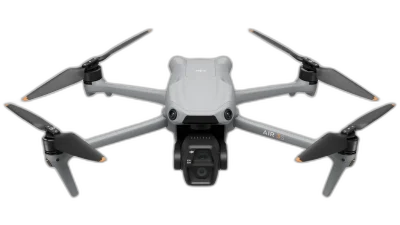
DJI Air 3S loses privileges in 2028
724 g · C1 · ActiveTrack · 45 min · 24 mm + 70 mm
A superb camera drone and a bad vlogging one. The 70 mm lens frames a person beautifully; everything else about it — the weight, the bag, the 2028 problem — argues against.
- No test needed today, but from January 2028 it needs the A2 test to fly near people. You are buying about eighteen months of that freedom.
- A 70 mm second lens, which is the most flattering focal length here for a person on camera, plus a 2.7K vertical mode.
- 724 grams, and no audio recording of any kind — every word has to come from a separate microphone.
-
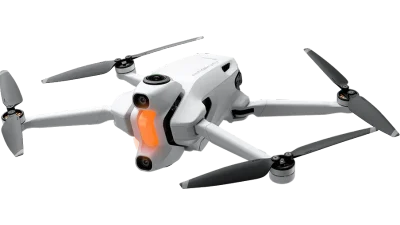
Antigravity A1 observer required
249 g · 8K 360° · Deep Track · 24 min · second person required
An 8K 360 camera that flies, under 250 grams, flown through goggles. The most interesting object here and the hardest to use on your own.
- Flown through goggles, so the law requires a second person watching it.
- Shoots 8K in every direction at once, and you pick the framing afterwards.
- 24 minutes on the battery that keeps it at 249 grams — the bigger one takes it to 291 g and out of the no-licence category.
- Antigravity publishes no UK listing I could read, and the Amazon link is the goggles bundle rather than a bare drone. It is comfortably the most expensive thing here bar the Mavic.
-
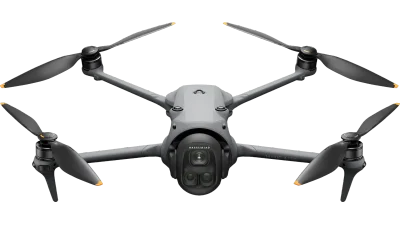
DJI Mavic 4 Pro
1,063 g · C2 · ActiveTrack · 51 min · A2 test required to fly near people
The best flying camera you can buy in a bag this size, and a kilogram of paperwork for someone whose job is to be in front of it rather than behind it.
- Needs the A2 test to fly near people, and it is the only drone here over a kilogram.
- A 100-megapixel Four Thirds sensor with a variable aperture, plus two extra lenses.
- It does record audio — through the controller’s built-in microphone or a connected DJI Mic.
The list runs cheapest to dearest, and every row links to the cheapest configuration that actually flies — which for the two Avatas and the Antigravity A1 means a bundle with goggles and a controller in it, because the drone on its own will not leave the ground. Where the link is a bundle rather than a bare drone, the row says so. Tracking distances and audio behaviour are from each drone’s own user manual, and for the HOVERAirs from HOVERAir’s published specification table — not from Amazon’s detail fields, which are wrong about both of them. Checked 31 July 2026. Comparison specifications from DroneCompare, CC BY 4.0.
PART TWO
Drones have no usable microphone — how creators actually get audio
Here is the thing nobody selling you a drone will mention, and the thing that will cost you an afternoon the first time it happens. You are not going to be able to hear yourself.
Not one drone on this page has a microphone pointing at you while it flies. And that is not laziness on the manufacturers’ part — it is the only sensible decision. A microphone forty feet up, mounted between four propellers spinning at several thousand revolutions a minute, in whatever wind is up there, would record propellers and wind. Nothing else. Certainly not a person talking on the ground.
So what DJI does instead is quietly clever, and almost nobody explains it: on a handful of its drones, the sound is recorded on the ground, next to you, and stitched into the video afterwards.
Which of these can record any sound at all
Four of the thirteen, using something you already own. Two more will, but only once you have bought a separate transmitter to hold the microphone. I went through every user manual for this, because the specification pages do not mention it either way.
WHERE THE SOUND COMES FROM
| DRONE | RECORDS AUDIO? | FROM WHAT |
|---|---|---|
| DJI Neo | Yes, in the app | Your phone’s microphone, a DJI Mic or Mic 2, or Bluetooth earphones |
| DJI Neo 2 | Yes, in the app | Your phone’s microphone, a DJI Mic 2, or Bluetooth earphones |
| DJI Flip | Yes, in the app | Your phone’s microphone, a DJI Mic 2, or Bluetooth earphones |
| DJI Mavic 4 Pro | Yes, in the app | The controller’s built-in microphone, or a connected DJI Mic |
| HOVERAir X1 PRO HOVERAir X1 PROMAX | Only with the Beacon | The Beacon’s own built-in microphone. It is a separate purchase and it is not in the standard box. |
| Mini 5 Pro, Mini 4 Pro, Mini 4K, Air 3S, Avata 2, Avata 360, Antigravity A1 | No | Nothing. There is no audio recording function in any of their manuals. |
Read from each drone’s official user manual, 31 July 2026, and for the two HOVERAirs from HOVERAir’s own Beacon product page and its X1 specification comparison. If a manual does not document it, I have not assumed it exists.
Notice what that means for the drone I have just recommended to you. Buy a Mini 5 Pro — a genuinely brilliant camera, the best on this page under 250 grams — and it will not record a single word you say. Buy a Flip for less than half the money and it will.
The two HOVERAirs answer the same problem from the other end, and the answer is arguably the better one. There is no phone in a HOVERAir workflow at all. The microphone sits in the Beacon — a small screen on a strap that you use to watch the shot and nudge the framing — and HOVERAir says the sound it records is merged into the video automatically when you pull the clip off, with no lining-up to do. That is the same trick, minus the phone, minus having to keep an app in front, and minus most of the ways the DJI version goes wrong. The catch is the Beacon is not in the standard box: it is a further purchase on top of a drone that is already one of the dearer ones here, and it costs roughly twice what the clip-on microphone I recommend below will.
Four catches, and the last one is nasty
App recording works well when it works. But DJI’s own manuals list the conditions, and they matter more to you than to anybody else reading them.
- You cannot switch it on mid-flight. “Audio recording can only be enabled or disabled before recording.” Forget, and that take has no sound. There is no rescuing it afterwards.
- The phone screen has to stay on, with the app in front. “DO NOT turn off the screen or switch to other apps during recording.” So the phone lives in your hand or somewhere face-up nearby, awake, for the whole take.
- The sound only joins the video inside DJI’s app. The audio is merged into the file when you view or download the clip in the album view in DJI Fly. Pull the memory card out of the drone, plug it into a laptop and copy the files across, and you have silent video. It is not corrupted. You just took the wrong route home.
- Fly it without the phone and there is no audio at all. The entire appeal of the Neo, the Neo 2 and the Flip is that you can press a button on the drone, hold out your hand and film without a phone or a controller anywhere near you. Do exactly that, and the clip comes back mute — because app recording, as the name says, needs the app.
Which brings me to what people who do this regularly actually do.
The three ways to get audio, honestly ranked
1. Record separately and sync in the edit. This is what I would do and it is what I would do on day one, not day fifty. A small wireless microphone clipped to your collar, recording onto the transmitter itself rather than relying on a connection, and then lined up against the video afterwards. Clap once at the start of every take and the two line up in seconds — your editing software can usually do it for you from the waveform.
The reason this wins is not sound quality, although it is better. It is that the audio no longer depends on the drone, the phone, the app, the Bluetooth pairing or your memory. You get sound even on the drones in that table that record none, which means it also survives you upgrading.
2. Phone in your pocket, app recording on. Free, and genuinely fine for a talking-head clip in still air. Live with the four catches above.
3. Voiceover afterwards. Not a cop-out. A huge amount of what you watch on YouTube is narrated in a bedroom over footage shot weeks earlier, and the aerial sequences in particular almost always are. If the drone shot is the establishing shot rather than the moment you speak, this is the correct answer and you can ignore everything above.
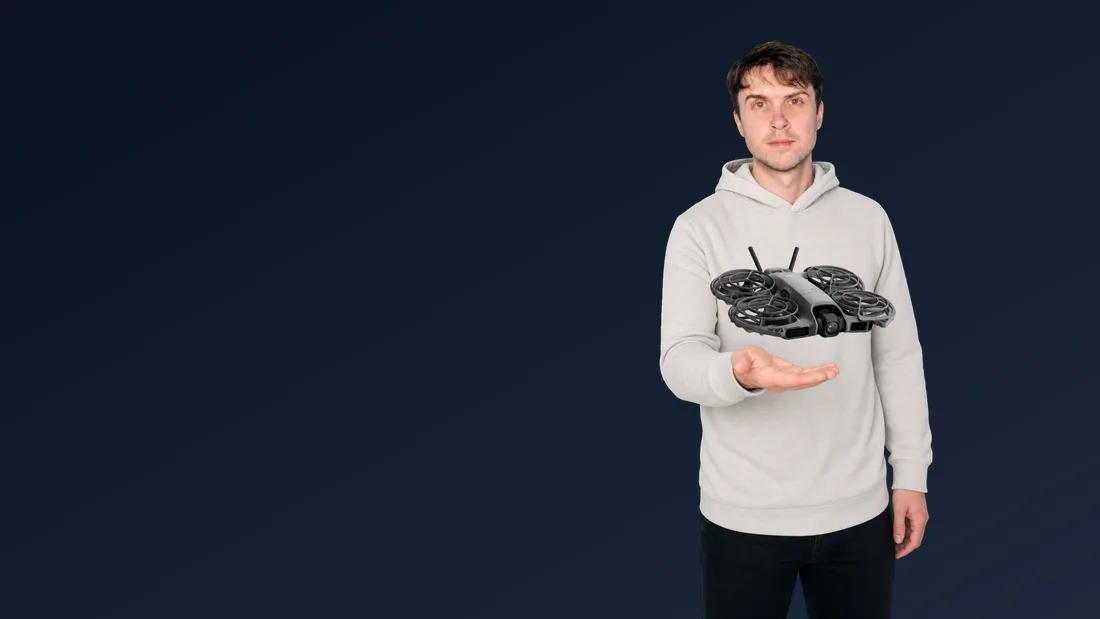
Wind is the thing that ruins it
Whichever route you take, the audio is being recorded outdoors on a clip-on microphone, and a clip-on microphone in a breeze produces a low roar that no software removes cleanly. The fix costs a few pounds: the furry cover that comes in the box, or one bought separately. Fit it and leave it fitted. It looks silly and it is the difference between usable and unusable.
The other habit worth forming early: turn away from the wind while you talk, and stop talking while the drone is close. Propeller noise carries further than people expect — drones are noisier than the specification sheets suggest — and a drone hovering three metres from your face is very much in your microphone.
THE ONE ACCESSORY I WOULD NOT SKIP
- Check price
A wireless clip-on microphone
Records onto the transmitter itself, so your sound does not depend on the drone at all.
- Check price
A 256GB V30 card
V30 is the rating that keeps up with 4K without dropping frames.
Affiliate links · costs you nothing extra · full disclosure
PART THREE
Filming yourself alone: what tracking really does, and the person the law sometimes insists on
Every drone in this guide will fly a nice move around you. Only some of them will follow you. Those are different features with different names, they are advertised with the same footage, and the gap between them is the whole reason people are disappointed.
A one-take move is not tracking
Take the DJI Mini 4K, the cheapest camera drone most people run into. It has QuickShots: Dronie, Rocket, Circle, Helix, Boomerang. You tap yourself on the screen, the drone flies a preset path — backwards and up, or a circle around you — records it, and returns to where it started. It is a lovely five-second clip and it is genuinely all it does.
The manual is blunt about the limits, too: do not use QuickShots when the subject is blocked, more than 50 metres away, similar in colour to the surroundings, or moving fast. That last one tells you everything. It is a shot, not a camera operator.
Tracking is the other thing. You mark yourself once, and the drone keeps you in frame while you walk, cycle or run — adjusting its own position to hold the distance. DJI calls the good version ActiveTrack; the palm-launch drones also carry simpler versions called Follow, Spotlight and DirectionTrack.
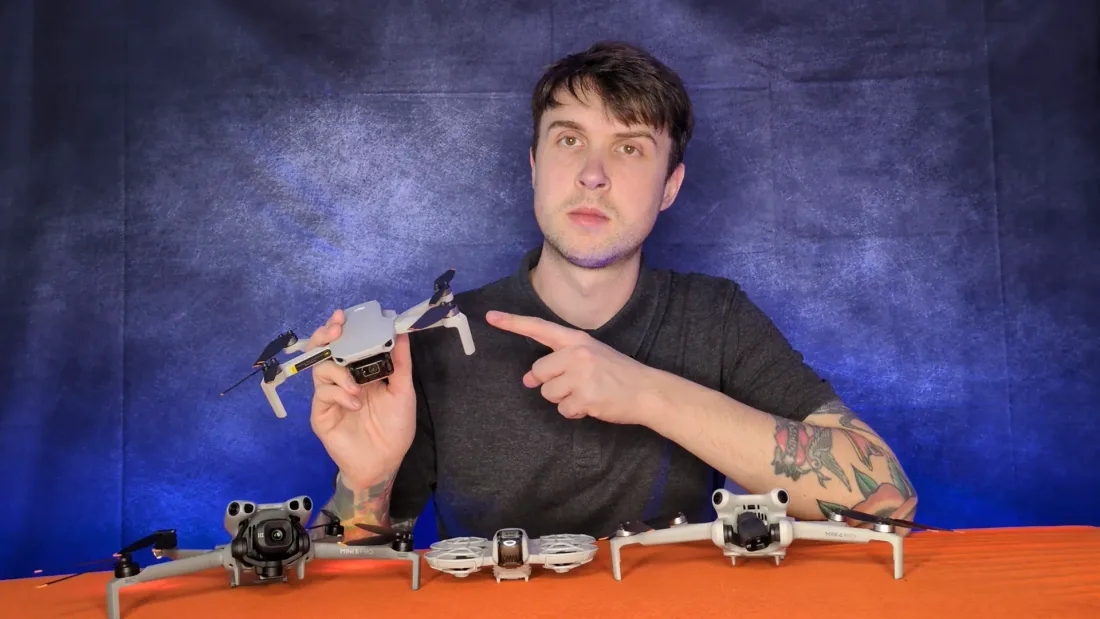
How far each one will actually stay from you
This is the number that decides your shot and it is buried in the manuals rather than the marketing. Close tracking gives you a chatty, phone-camera feel. Distance gives you the sweeping reveal — and the drones that only hold seven metres simply cannot do it.
TRACKING A PERSON — MANUFACTURER FIGURES
| DRONE | DISTANCE FROM YOU | HEIGHT |
|---|---|---|
| DJI Neo | 2–7 m (best 2–5 m) | — |
| DJI Flip | 2–10 m (best 2–7 m) | — |
| DJI Neo 2 | 4–20 m | 0.5–15 m |
| DJI Mini 5 Pro | 4–20 m | 0.5–50 m |
| HOVERAir X1 PRO HOVERAir X1 PROMAX | No distance range published — HOVERAir quotes a speed instead: 42 km/h maximum auto-follow, 60 km/h instantaneous | |
| DJI Mini 4K | No subject tracking — preset QuickShots only | |
| DJI Avata 2 | No subject tracking — somebody else has to fly it | |
From the DJI Neo, Flip, Neo 2 and Mini 5 Pro user manuals, and from HOVERAir’s own specification table. DJI also recommends the subject does not exceed 12 metres per second — about 27 mph — or the drone will not track properly, which is very nearly the same ceiling as HOVERAir’s 42 km/h. The Mini 4 Pro, Air 3S, Avata 360 and Mavic 4 Pro all carry ActiveTrack; their manuals do not publish a person-distance table, so I have left those rows out rather than assume they match.
Where tracking gives up, in DJI’s own words
The manuals contain a list of situations where you should not use tracking, and it reads like a list of places people vlog. Worth memorising:
- Small or fine objects around you — tree branches, power lines. The drone struggles to see them, and it is tracking you, not them.
- Transparent surfaces — water, glass. Which rules out a good deal of what makes a nice backdrop.
- Large blocks of one colour — white walls, snow, sand. It loses the edges of you.
- You changing shape sharply — putting a coat on, picking up a bag, ducking.
- You wearing something similar to the background — grey coat, grey day, grey path.
- You going out of sight for a while — behind a van, round a corner, under a bridge.
And the sentence that matters most, because it is the safety one: the drone cannot avoid moving obstacles such as people, animals and vehicles. It will dodge a stationary tree. It will not dodge a dog running at it, or a cyclist.
What happens when it loses you is at least sensible. In Follow, Spotlight and DirectionTrack, DJI’s manuals say the drone hovers in place if the camera loses the subject while recording. It does not fly off and it does not land in a hedge. It sits there waiting — which is why you want the phone somewhere reachable even if you are flying off the button.
Seeing it, and the one exception written for exactly this
The general rule is strict, and it is the one everybody quotes. In the UK you must keep the drone in direct sight, with a full view of the airspace around it. Direct sight means your own eyes: not the phone screen, not goggles.
Now picture the shot you are imagining. You are walking away down a beach, talking to camera, and the drone is behind you at twenty metres tracking your back. You cannot see it — and this is the one place the rule bends, which almost nobody writing about these drones seems to know. The CAA’s Drone Code carves follow-me out by name: you do not have to keep the drone in direct sight when follow-me mode is active and set to follow within 50 metres of you. All other points still apply. That single sentence is the legal ground this whole category stands on, and it is why a drone sat behind your shoulder filming your back is a shot you can legitimately take on your own.
Read the boundaries carefully, though, because they are tighter than they sound. Fifty metres is the limit, and it is the distance the drone is set to follow at — so a 4-to-20 metre tracker sits comfortably inside it and a 200-metre reveal shot does not. The moment you stop being the subject and start sending the drone off to look at something, you are back to needing your own eyes on it. And “all other points still apply” means exactly that: 120 metres of height, no crowds, the landowner’s permission, the lot.
Goggles mean a second person. There is no way round it
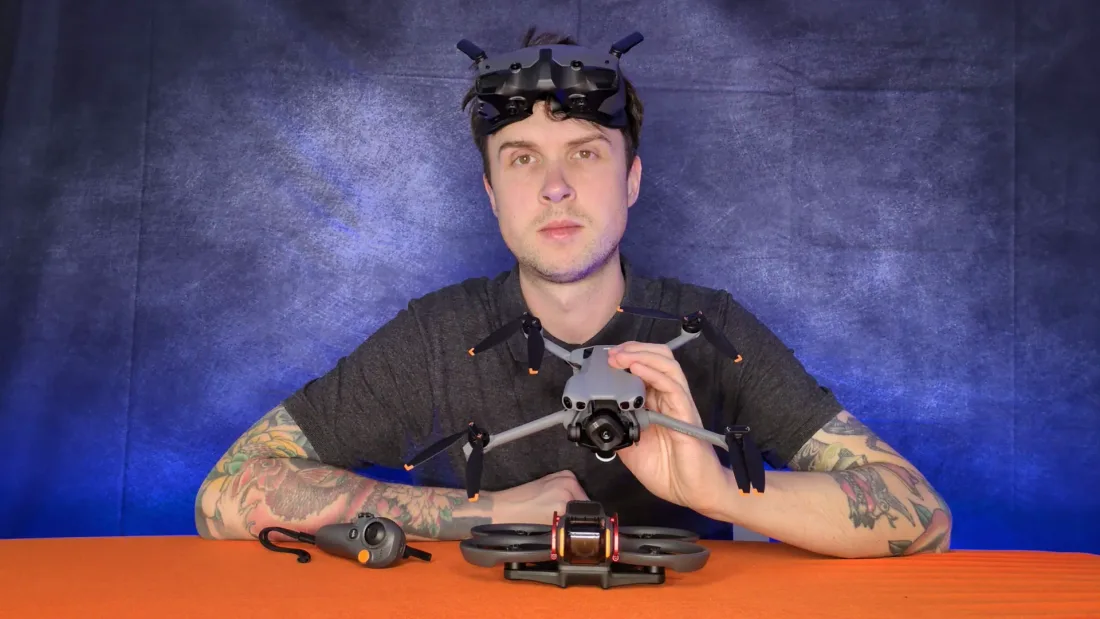
Flying while watching a live picture is called First Person View, or FPV. It is how you fly the DJI Avata 2, the DJI Avata 360 and the Antigravity A1 in this guide, and it produces the swooping, diving footage that probably sent you looking for a drone in the first place.
The CAA’s position on it is one sentence long: if you want to fly using First Person View, you must have an observer with you. Not a suggestion. The observer has to stand next to you, the two of you must be able to talk to each other at all times, and at least one of you must be able to see the drone clearly enough to tell which way it is facing, with a full view of the surrounding airspace. Binoculars do not count. A phone screen does not count. Goggles certainly do not count. Glasses and contact lenses are fine.
Your observer does not need a Flyer ID or any qualification, and they are sometimes called a spotter. But you have to brief them, and you remain responsible for the flight. The CAA is explicit about why: a flat picture strips out your depth perception and peripheral vision, so judging speed and distance through goggles is genuinely hard.
Read that as a buying rule. If you film alone, an FPV drone is not a drone you can legally use, no matter how good the footage looks. Three of the thirteen here fall into that bucket, and between them they account for the three most exciting-looking options on the page. That is the single most expensive mistake available to you in this category.
The rest of the paperwork, quickly
Assume you have never registered anything. Two things, both online, both take an evening:
A Flyer ID is a free theory test you sit online. It lasts five years. Anyone flying a drone of 100 grams or more needs one. An Operator ID costs £12.34 a year, you must be 18 to register for it, and it goes on a label stuck to the outside of the drone. Every drone of 100 grams or more with a camera needs one, so that is all thirteen here.
After that, weight decides your life. Under 250 grams and you are in Over People (A1), which for a vlogger is the good category: you may fly over uninvolved people and closer to them than 50 metres, in a park or a street. You still may not fly over a crowd, above 120 metres, or in restricted airspace. Nine of the thirteen drones here stay under that line — and if that freedom is what you are shopping for, the sub-250-gram category is the whole search.
Go heavier and it changes fast. The Mavic 4 Pro carries a C2 class mark, which means an A2 Certificate of Competence — a theory exam of at least 30 questions taken with a CAA-approved provider — before you can fly it near people at all. Without it you are in Far from People (A3): 50 metres from anyone, 150 metres from anything residential or commercial. Which is a field, and a drive to get there.
Two more that catch vloggers specifically. You need the landowner’s permission to take off and land — that includes most parks, and it is a conversation, not a technicality. And if anyone pays you for the footage, third-party insurance stops being optional and becomes a legal requirement. Recreational flying is your choice; commercial flying is not.
Finally, privacy, because your camera is pointed at a public place with other people in it. The CAA’s guidance is that footage in which people can be identified may fall under GDPR and the Data Protection Act 2018, whether you meant to film them or not, and that using a drone camera where people expect privacy — their home, their garden — is likely to break data protection law. In practice: tell people before you start where you can, stand somewhere visible so it is obvious who is flying, and think before you upload.
PART FOUR
What I’d fly if I had to film myself
The DJI Flip, — and not one of the expensive ones. If somebody handed me a camera and said “you are the subject now, go and make something on your own”, that is the one I would put in the bag, and I would not spend long deciding.
Not because it is the best camera here — it plainly is not. Because it is the only drone on this page that does all four of the things this particular job needs, straight out of the box. It launches off your hand with no controller and no phone. It follows a person. It has a 1/1.3-inch, 48-megapixel camera that holds up on a big screen rather than just a phone. And it can record your voice. Take any one of those four away and the workflow falls apart, which is exactly what happens with almost everything else in the list.
The one that comes closest is not a DJI at all. The HOVERAir X1 PROMAX gets three of the four outright. It lifts off your palm, it follows you at up to 42 km/h with no controller in the system anywhere, and its 1/1.3-inch sensor shoots 8K and a genuinely 4K vertical frame — a better vertical frame than the Flip manages. Then it wants a further purchase, the Beacon that holds the microphone, on top of a body that already costs the better part of two Flips. If you are filming yourself moving fast and the picture matters to you more than the money, that is a trade I would not argue with. For most people it is a great deal to pay to end up roughly where the Flip already was.
It is also under 249 grams and carries prop cages, which means it is the one I would happily fly three metres from my own face, in a park, with people around. That combination — legally allowed to be near people, physically safe to be near people — is worth more to a vlogger than any sensor upgrade on this page.
Three other people, three other answers
If even the Flip is more than you want to risk on something that might not stick: the DJI Neo does the same trick with a worse camera and half the tracking range, for well under half the money. It is the cheapest thing on this page and the only one here you would not be furious about crashing. Buy it, find out in a fortnight whether you actually enjoy being filmed by a machine, and put the difference towards the drone you then know you want. Nothing else this cheap follows you at all.
If you are moving — running, riding, walking a ridge: the DJI Neo 2 — barely more than the Neo, and still less than the Flip. Twenty metres of tracking range instead of ten, obstacle sensing in every direction, and it still records audio through the app. The camera is a step down from the Flip and for a moving wide shot you will not notice.
If the footage has to look like a film: the DJI Mini 5 Pro is the best camera you can fly without a certificate, and its gimbal rotates a full 225 degrees so a vertical clip is a real vertical frame rather than a crop. It is well over twice the Flip, though. Go in knowing you are carrying a controller and that it will not record one word you say — buy the microphone in the same order.
The mistake I would make if I were you
Buying an FPV drone first. It is the obvious trap in this category, because FPV footage is what makes people want a drone, and every one of those clips is shot by somebody with a friend.
Look at what actually happens. The DJI Avata 2 is advertised at one figure for the bare drone and roughly twice that for the cheapest bundle with the goggles and the controller you actually need to fly it — so the number that catches your eye is not a number you can use. Then it cannot track a subject, so it cannot film you unless somebody else is flying it. Then the law requires that somebody to be stood beside you anyway. Then, on 1 January 2028, its C1 class mark stops counting as the UK equivalent and it drops to plain weight rules, so at 377 grams it will need an A2 certificate to fly near people at all.
None of that makes it a bad drone. I have flown it and it is the most fun on this page by a distance. It is simply not a tool for filming yourself, and it is sold in the same aisle as things that are.
What year one actually costs
Whatever the Flip is selling for on the day is not the number. Here is the whole thing, including the line every other guide leaves out. I am not going to quote you figures that will be wrong by the time you read this — but I can tell you the shape of it, and the shape is the part that surprises people.
Start with the drone. Then add the registration, which is the one line here that is fixed, published and the same for everybody: the Operator ID is £12.34 a year, and the Flyer ID that goes with it is free. Because the Flip sits under 250 grams there is no A2 Certificate of Competence to pay for either — on a heavier drone that would be the biggest single line on this list, and it is a large part of why I have pointed you at a small drone.
Then four things nobody puts on the shelf edge, in rough order of what they cost. A wireless clip-on microphone, the dearest of the four and the one Part Two exists to justify, because the box does not record your voice. A second battery, not far behind it, because one battery is about half an hour of flying and you will want more than one go at a take. An allowance for the crash you have not had yet — props, a cage, possibly a gimbal — because you are flying this thing three metres from your own face while walking backwards, and it will happen. And a 256 GB V30 card, comfortably the cheapest of them.
Add those together and the extras come to roughly seventy per cent of the drone again across the first year. So budget for the Flip, then budget for about two-thirds of it a second time. The microphone on its own is about a third of that overhead — which is the point of Part Two: on a vlogging drone, sound is not an accessory. It is half the job, and it is the half the box does not do.
And if what you actually need is one polished aerial sequence rather than a hobby — an opening shot, a venue, a single day of filming — owning is rarely the cheaper answer once you add the registration, the kit and the learning. You can hire a qualified drone pilot who already has the drone, the certificates and the insurance, and see what that costs before you spend anything.
Best drone for vlogging: the questions I get asked most
What is the best drone for vlogging in the UK?
The DJI Flip, and it is one of the cheaper drones in this guide rather than one of the dearer ones. It takes off from your palm, it has six one-tap filming modes on a button on the drone itself so you never touch a controller, it follows a person between 2 and 10 metres away, and it is one of only four drones here that records sound without extra hardware. It weighs under 249 grams, so beyond a free Flyer ID and a £12.34 Operator ID there is no test and no licence. Spend less and the DJI Neo does the same trick with a smaller camera for well under half the money; spend more and the DJI Mini 5 Pro is the one to buy if the footage has to look properly cinematic.
Do drones record sound?
Not from the sky, no. None of the drones in this guide has a microphone that records your voice while it is flying, and a microphone up there would only pick up four propellers and the wind anyway. Four of the thirteen — the DJI Neo, Neo 2, Flip and Mavic 4 Pro — can record audio through the DJI Fly app instead, using your phone’s microphone, a DJI Mic, or Bluetooth earphones. Two more, the HOVERAir X1 PRO and X1 PROMAX, record sound through the microphone built into HOVERAir’s Beacon, which is a separate purchase. Either way the sound is captured next to you on the ground, not next to the drone. The other seven have no audio recording function documented anywhere in their user manuals.
Which drones will follow you and film you on their own?
In this guide: the DJI Neo follows a person at 2 to 7 metres, the DJI Flip at 2 to 10 metres, and the DJI Neo 2, Mini 4 Pro, Mini 5 Pro, Air 3S, Avata 360 and Mavic 4 Pro all use ActiveTrack, which on the Neo 2 and Mini 5 Pro holds a person at 4 to 20 metres. DJI recommends your subject does not exceed 12 metres per second, about 27 mph. The HOVERAir X1 PRO and X1 PROMAX follow you as well, and are the only two here designed to do nothing else; HOVERAir publishes no distance range for them but quotes a maximum auto-follow speed of 42 km/h. The DJI Mini 4K cannot follow a subject at all — its QuickShots fly one preset move around a person you tap and then return, which is not the same thing.
Do I need a licence to fly a drone for vlogging in the UK?
Not a licence, but you do need to register. Everyone flying a drone of 100 grams or more needs a Flyer ID, which is a free online theory test valid for five years, and every drone of 100 grams or more with a camera also needs an Operator ID, which costs £12.34 a year and goes on a label stuck to the drone. Beyond that it is weight and class mark that decide things. Everything under 250 grams flies in Over People (A1) with nothing further to do. Heavier drones can need an A2 Certificate of Competence to fly near people.
Do I need a second person to fly an FPV drone?
Yes. The CAA is explicit: if you want to fly using First Person View, you must have an observer with you. They must stand next to you, you must be able to talk to each other at all times, and at least one of you must be able to see the drone with your own eyes — not through goggles, a phone or a screen. That applies to the DJI Avata 2, the DJI Avata 360 and the Antigravity A1 in this guide. Your observer does not need a Flyer ID, but you remain responsible for the flight. There is no solo version of FPV in UK law.
Can I film other people with a drone?
You must respect people’s privacy. The CAA warns that using a drone camera where people can expect privacy, such as inside their home or garden, is likely to break data protection law, and that footage in which people can be identified may fall under GDPR and the Data Protection Act 2018 whether you filmed them deliberately or not. Practically: let people know before you start recording where you can, make yourself visible so it is obvious who is flying, and think before you upload. If you are being paid for the footage you also take on further duties as a data controller, and third-party insurance stops being optional.
The short version
If you read all of that and still want me to just say it: buy the DJI Flip. It is the only drone here that launches off your hand, follows you, shoots a camera you will not outgrow in a month and records your voice — and it needs no test and no licence. Then buy a clip-on microphone with it, because that is the part the box does not do.
Affiliate links · costs you nothing extra · full disclosure
This guide does not quote prices. They move constantly, and the only figure worth reading is the live one on the listing itself — every drone here has a link to it. Tracking ranges, audio behaviour and weights come from each manufacturer’s own specification page or user manual, checked 31 July 2026. Regulatory detail from the UK Civil Aviation Authority. Comparison specifications from DroneCompare, licensed under CC BY 4.0. Amazon links are affiliate links.